
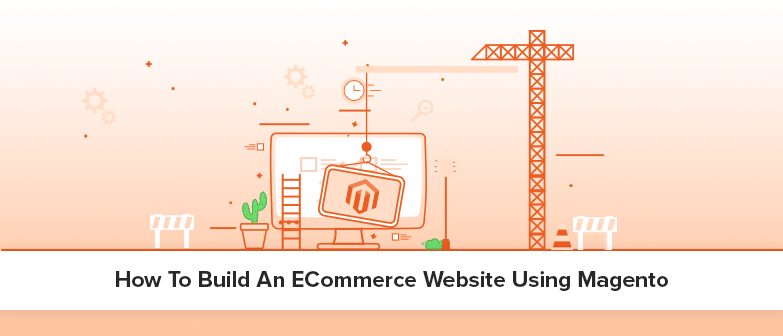
Let’s discuss the various steps to build a magento website in this blog.
Any eCommerce website has become the retailers’ success confronted to create an online store. To keep up with trends, congregate the customer’s shopping experience, and more.
Magento 2 platform is now the best option to build an eCommerce website. Thus, the final goal of this article is to provide you with a few guidelines to build a magento website. All this comes your way in an absolute and professional way.
Magento is one of the most popular eCommerce platforms in the world. Magento website development is rising more appropriate worldwide. So as several online retailers desire the platform for their eCommerce requirements.
10 Steps To Build A Magento Website
- Pick A Grand Domain Name
- Get Magento Hosting
- Choose Magento Template
- Customize The Designs
- Set Up A Product Catalog
- Payment Techniques
- Set-Up Shipping Integrations
- Engaging Customers Through Emails
- Enhance Sales Through SEO And Marketing
- Examine, Process, And Analyze
1. Pick a grand domain name
First step to build a magento website very important to pick a domain name. This is your web address and your brand name is an important marketing tool. You have to pick a short, catchy, and easy-to-remember name.
It is distinctive because the most obvious names have already taken. The eCommerce retailers will get a Brand Identity, neat email, and SEO tools support.
2. Get Ecommerce hosting to build on Magento
Magento Hosting is the most imperative factor you want to think about before you start. At the beginning of Magento eCommerce Website Development. Magento has 2 editions community and enterprise.
Hire an experienced Magento expert to pick the right Magento package. So you can host as per your business requirements and also for installation needs.
3. Choose Magento 2 template
After Magento hosting, to build a magento website you should pick the Magento template which suits your interest. It is perfect for your eCommerce website by presenting your brand and every product.
4. Customize the designs
Customize your design to match the colors and fonts of your brand. It is important to attract online buyers with a striking website design. Magento offers thousands of free and paid responsive themes.
You need to be simple but attractive with details like another font, color, and layout. Many of them are very customizable and easy to use. They even have an advanced admin module, multi-product listing, single-click activation, and more.
5. Set up a product catalog
If your shop name, logo, and design are final, it’s time to set up a product list. Besides, many product management and types of products are a lot easier for Magento.
Then listing your products with a set of different categories and sorting them is now a quick task. It helps the sales process and helps users find and buy.
6. Payment techniques
If your eCommerce website supports some popular payment providers like PayPal, Amazon. Then it will become an advantage to your eCommerce business.
Customers can make more choices and easy shopping. Paying online is very important. Magento enables PayPal payment integration by default. For Magento support convenience, you can attach the application without any interruption.
Payment entrance, limitation calculator, and shipping tools are more to help your eCommerce experience.
7. Set-up shipping integrations
Shipping is an important value proposition for your store. Shipping alternatives determine to depend on your product and business model. Also, along the side with your target audience and your eCommerce solution.
It has the power to magnetize customers, but it pushes customers. If you’re new to selling online, think about the small start. Before entering the shipping, you need to stick to the domestic shipping master.
8. Engaging customers via emails
Engaging customers through transaction emails is a great way to communicate. And to enhance the consumers about their orders, queries, advertising opportunities, and discounts.
Magento comes with basic email templates that you can change according to your need. You can put in place the Magento default transaction email option from the admin panel setup.
9. Enhance Ecommerce sales through SEO and marketing
If you want to increase your sales, then SEO and marketing are important to promote your websites. Drive more traffic, and increase sales. Magento offers an infinite number of ways to simplify your marketing activities.
It eases the process with the default SEO options, social media integration, and more. You can enable notifications to promote visitors to engage your store visitors.
10. Examine, process, and analyze
Each website owner needs to track their website metrics. So there exists a reliable web tool called Google Analytics to track the site’s matrices. Analytics will lead your marketing results and test your impact on your success.
It helps in sales by adjusting your store’s features to suit customers’ demands. These are the steps to build a Magento website.
Installing SSL Certificate for Your ecommerce website on Magento
SSL refers to secure socket layer certificates for security purposes. It connects all those small data files to a company’s encryption key. Once installed on a web server, it allows us to verify the trust and authenticity of the client.So, ensuring that all data and information between the website. Now the customer is encrypted, avoids the risk of interference, and a web server for the browser.
SSL certificates are coming up with:
- A domain name, server name, or hostname.
- A corporate identity (i.e. company name) and location.
Combine Both Online & Offline Marketing:
Consumers have more requests than before and are looking for personal content. For successful development, both online and offline strategies are important. So you need to create a superficial look and feel for customers.Some ways to mix online and offline strategies are as follows:
Coupons will be sent through SMS, content, and email marketing. Just by publishing notifications from applicants or Facebook.- Offers to buy shops and inverse online gift cards.
- Discount codes are great for some markets with timely SMS to test your own destination team.
- Advertise digital in-store newcomers for online retailers.
- Promote social competition in your physical places.
- Creating Facebook Event Page for Store Events and Sales.
- Use the Global Destination target to send mobile services to nearby customers.





















2 Responses
Great article! Thanks
Great article! Thanks a lot! I have tried this for my Private Sale store. It is really cool, especially when in comes to features and quality.