

Hey readers…
Online retail has become a dominant force in commerce, with more shoppers turning to digital channels every year.
From small businesses to established enterprises, having the best e commerce website maker is more important than ever. But where do you start?
The answer lies in choosing the best ecommerce website builder, which simplifies setting up your store, managing payments, and shipping from the comfort of your home or office.
The ecommerce landscape continues to evolve rapidly, shaped by advancements in AI and machine learning. Voice commerce is gaining traction, and new shopping behaviors emerge constantly.
As industry leaders like Alibaba and Amazon set the pace, businesses must differentiate themselves by choosing the best ecommerce website builder reviews to help their stores succeed.
If you want to grow a successful online store, choosing the best web builders for ecommerce is key. Whether you’re a small business owner or a large enterprise, finding the best ecommerce web builder can transform your online retail experience.
In this article, we’ll explore the top ecommerce website building companies and what makes them stand out.
What Is an Ecommerce Website Builder?
A best online ecommerce website builder is a platform that helps users create online stores without needing advanced technical skills. These ecommerce website makers or ecommerce site builder software provide tools to design, customize, and optimize websites for selling products.
How Ecommerce Builders Work
Most platforms follow a similar workflow: you select a template, customize the design with your branding, add products with descriptions and images, configure payment and shipping options, then publish. The builder handles hosting, security updates, and core infrastructure so you can focus on your business.
Who Should Use a Website Builder vs. Custom Development
- Website builders suit businesses that want to launch quickly, have limited technical resources, and prefer predictable monthly costs.
- Custom development makes sense when you need unique functionality no platform supports, have complex integration requirements, or operate at a scale where platform fees exceed development costs.
Build Your Online Store with Best Ecommerce Website Builder
Key Takeaways On Ecommerce Website Builders
- Selecting the best ecommerce website builder is essential for a successful online store, simplifying setup, payments, and shipping for businesses of all sizes.
- Key features in ecommerce site builder companies include mobile responsiveness, SEO tools, secure payments, and an intuitive interface to enhance usability and conversions.
- Referring to reviews of ecommerce website builders help businesses evaluate usability, scalability, security, and support, ensuring a reliable platform for long-term growth.
- Technical aspects like hosting, API integrations, and CMS capabilities are crucial when choosing ecommerce site builder software, allowing seamless scalability and third-party integrations.
Quick-Reference FAQ
Do I need coding skills to use an ecommerce website builder?
No. Modern builders use visual editors and pre-built components so you can design pages, add products, and configure settings without writing code.
Can I migrate my store to a different platform later?
Yes, though the effort varies. Platforms that let you export product data, customer records, and order history make migration easier. Check export capabilities before committing.
What ongoing costs should I expect beyond the monthly plan?
Factor in payment gateway transaction fees, premium app or plugin subscriptions, domain renewal, and potential theme or developer costs for advanced customizations.
How do I know if a builder can handle my traffic as I grow?
Look for platforms that publish uptime commitments, offer automatic scaling, and support high-volume merchants. Reading case studies from similar-sized businesses helps gauge real-world performance.
- The best site for ecommerce provides robust support for handling traffic surges, security, and system upgrades, ensuring a seamless shopping experience and long-term business success.
Best Ecommerce Website Building Platforms Comparison
| Web Builders | Description | Pricing | Suits Best For |
|---|---|---|---|
| 1. Webnexs | Webnexs is a top-notch ecommerce website builder offering flexible, scalable solutions tailored to businesses. It’s known for its omnichannel experience and ability to integrate with multiple channels, making it ideal for businesses looking to future-proof their online store. | Custom pricing based on needs | Headless Commerce and Omnichannel Experience |
2. Wcart | Wcart is a user-friendly platform designed for simplicity and fast setups. It allows businesses, especially startups and small businesses, to create professional online stores quickly without coding knowledge. | Affordable plans, ideal for SMBs to enterprises | Simplicity and Fast Launches |
| 3. Shopify | Shopify is one of the most popular ecommerce platforms, known for its ease of use, large app marketplace, and built-in payment processing. It offers everything businesses need to build, manage, and grow their online stores. | Starts at $39/month with various plans | All-in-One Ecommerce Solution |
| 4. WIX | WIX is a versatile platform offering a drag-and-drop website builder. It’s especially useful for small businesses and creatives who need an easy-to-use platform for building visually appealing websites. | Starts at $27/month | Small Businesses and Creatives |
| 5.BigCommerce | BigCommerce is a powerful platform designed for growing businesses and enterprises. It offers scalability and built-in features to support complex ecommerce needs, including B2B functionality and multi-channel selling. | Starts at $39/month | Large-Scale and Enterprise Businesses |
Let’s explore the best ecommerce website builder companies in more detail below:
What Are the Best Ecommerce Website Builders?
Selecting the appropriate ecommerce website builder is essential for establishing a successful online store. Here are some key factors to consider when choosing a platform:
Key Considerations:
- Ease of Use: Look for a platform that is intuitive and user-friendly, even if you have no coding experience.
- Scalability: Choose a platform that can grow with your business, offering features and tools to handle increasing traffic and sales.
- Integration Capabilities: Ensure the platform integrates well with other tools and services you use, such as payment gateways, shipping providers, and marketing tools.
- Customer Support: Opt for a platform that provides reliable and responsive customer support, including documentation, tutorials, and live assistance.
- Security Features: Prioritize a platform that offers robust security measures to protect your customers’ data and your business from cyber threats.
1. Webnexs – Best Custom Ecommerce Solution for Headless Commerce and Omnichannel Experience
“Leading ecommerce website maker with customizable and scalable solutions for unique needs.”
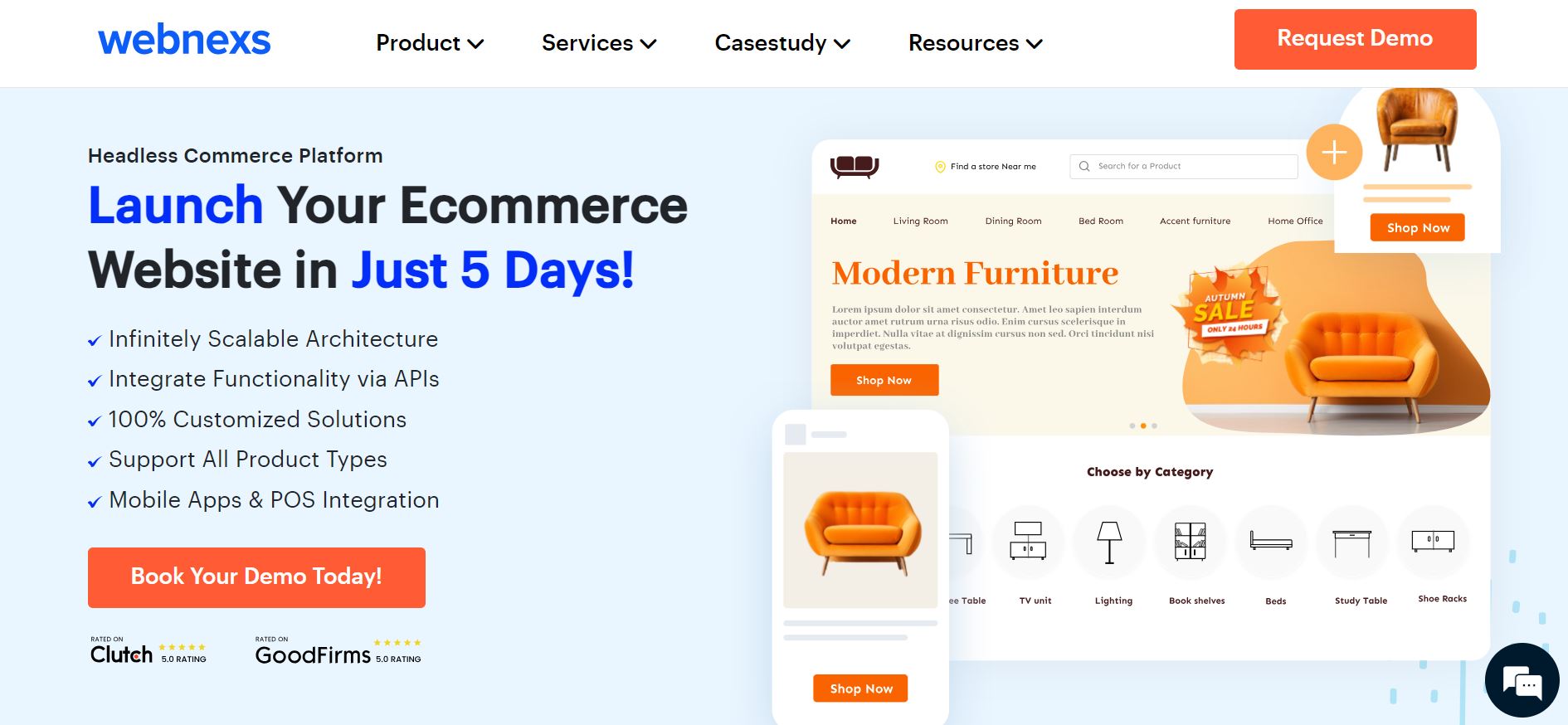
Webnexs is a leading ecommerce site builder recognized for its comprehensive solutions and user-friendly interface. With extensive industry experience, Webnexs has delivered numerous web and app projects for clients worldwide.
A skilled team of developers ensures top-notch quality and continuous innovation. Their commitment to customer satisfaction is reflected in reliable support available around the clock for seamless operations.
Key Features
- Advanced product management tools for organizing catalogs of any size
- Secure payment options supporting major gateways and regional providers
- SEO-friendly features for better visibility in search results
- Mobile-friendly design for the best viewing experience on all devices
- Multi-currency and multi-language support for international selling
- Dedicated customer support to help with any questions or problems
Benefits
- Enables businesses to build an advanced online presence
- Drives sales growth with powerful ecommerce features
- Provides flexibility and scalability to accommodate business growth
- Offers peace of mind with reliable security features and ongoing support
- Enhances customer experience with intuitive design and navigation
Ideal Use Cases
- Businesses adopting a headless architecture to future-proof their store
- Brands expanding across multiple sales channels and touchpoints
- Companies needing deep customization beyond standard templates
- Organizations with development resources to leverage API-first flexibility
User Feedback
“Incredibly talented team to work with. Webnexs exceeded our expectations in developing our multi-vendor e-commerce platform. They understood our needs and delivered beyond what we imagined!”
Is Webnexs Worth It?
Yes, if you need a highly customizable, developer-friendly platform. Webnexs excels across ecommerce models and scales with businesses of all sizes. The learning curve is steeper for beginners, but its flexibility makes it a strong choice for complex or unique requirements.
Who Should Choose Webnexs?
Webnexs fits businesses that require highly customized ecommerce solutions. Its flexibility and advanced features suit companies with specific, complex needs and access to a technical team for full customization.
Quick FAQ
- Do I need coding skills? Webnexs is built for developers. Non-technical users may need a development partner.
- Can it handle multi-vendor marketplaces? Yes, multi-vendor functionality is a core strength.
- Is it truly headless? Yes, the API-first architecture separates frontend from backend completely.
- What support is available? Round-the-clock technical support is included.
2. Wcart – Best Ecommerce Platform for Simplicity and Fast Launches
“Top website builders for ecommerce with simple setup and customization.”
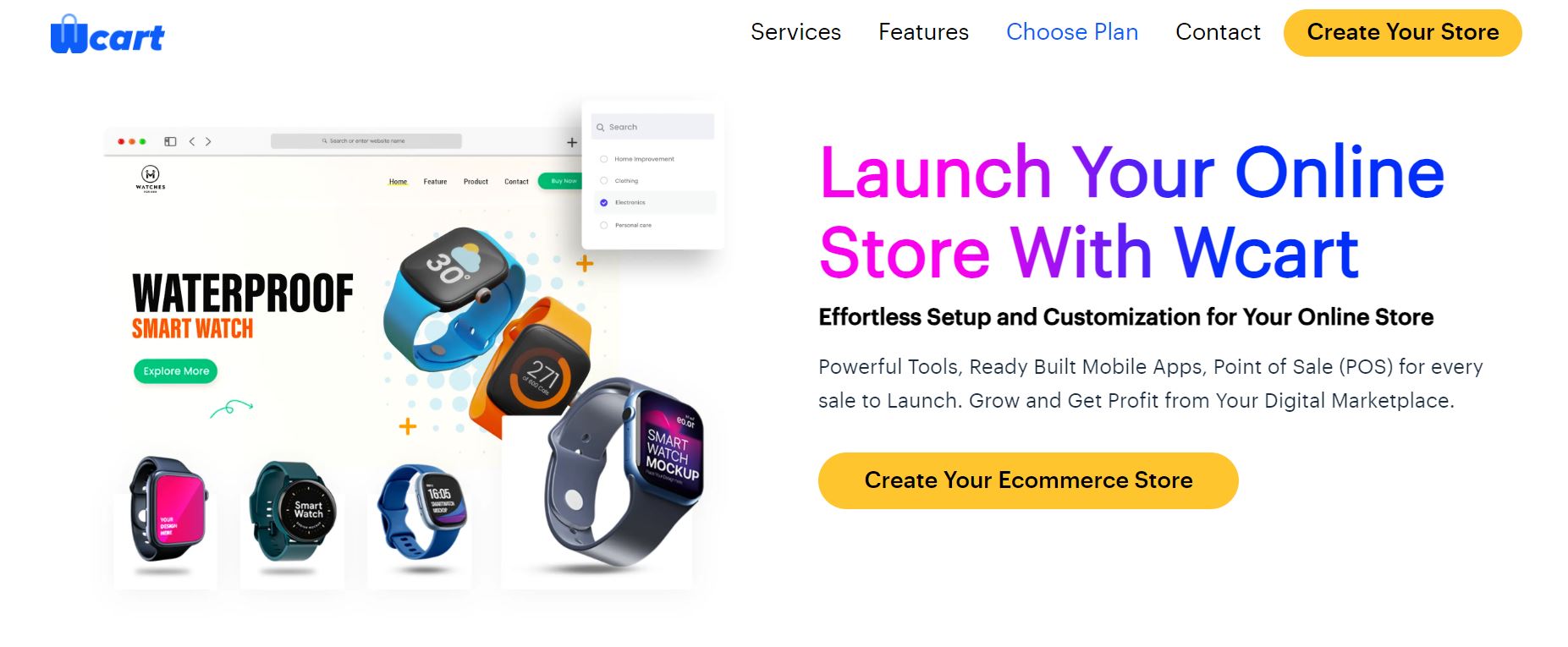
Wcart is a best website builder for ecommerce known for its user-friendly interface and advanced features. It provides users with an easy-to-use platform to create professional-looking online stores without coding knowledge.
The company has built a strong presence in the ecommerce ecosystem, working with a wide range of clients across various industries.
With a commitment to continuous improvement and innovation, Wcart’s dedication to excellence is evident in its expansive offerings and loyal customer base. This dedication helps businesses stay ahead in a rapidly evolving market.
Wcart stands as a trusted authority in the ecommerce space, with a strong network of developers and experts contributing to its ongoing success. Their platform’s capabilities and support continue to help businesses expand their reach and maximize their potential, making it a reliable choice for many.
Key Features
- Drag-and-drop website builder for effortless customization, allowing users to create a professional-looking site without coding knowledge.
- Payment gateway integration for secure transactions, ensuring that customer data and payments are protected.
- Multi-language and currency support for global reach, enabling businesses to cater to a diverse, international audience.
- Built-in SEO tools to enhance online visibility, helping your store rank higher in search engine results and attract more visitors.
- Analytics dashboard for monitoring sales and performance metrics, providing valuable insights to optimize your business strategies.
Benefits
- Simplified website creation process with drag-and-drop functionality, making it easy for anyone to build a professional online store.
- Secure payment processing to instill trust and confidence in customers, enhancing the overall shopping experience.
- Expanded market reach with multi-language and currency support, opening up new opportunities in different regions and countries.
- Improved search engine rankings with built-in SEO features, increasing the likelihood of being found by potential customers.
- In-depth analytics for informed decision-making and optimization, allowing you to make data-driven choices to improve your business.
“Ideal for: Small businesses and startups looking for a quick and easy way to launch their online store.“
User Review
“Create a Professional Web Store Quickly with Integrated Payment Gateways”
Is Wcart Worth it?
Wcart is worth considering if you want a fresh, cloud-based ecommerce platform with modern features. It offers a clean, intuitive, and advanced multi-store capabilities, making it a solid choice for businesses of all sizes.
Who Do We Recommend Wcart for?
Its easy-to-use interface and scalable features make it a great option for startups and small businesses to start an online store instantly. The multi-store and multi-vendor capabilities help businesses grow rapidly and efficiently.
3. Shopify – Best Ecommerce Website Building Platform for Your Solution
“Top-rated ecommerce builder with a user-friendly interface and extensive app integrations.”

Shopify is one of the best ecommerce builders, renowned for its user-friendly interface and comprehensive set of features. Founded in 2006, it has empowered millions of entrepreneurs globally to create and grow their online businesses.
Shopify offers an advanced platform that includes everything from website creation to payment processing, inventory management, and marketing tools. This comprehensive suite of features makes it a one-stop solution for managing an online store.
With features like customizable store themes, multi-channel selling, and integrated POS systems, Shopify allows businesses to seamlessly manage their online presence. This makes it easier to focus on growing your business rather than dealing with technical complexities.
Moreover, Shopify’s extensive app store and round-the-clock customer support further enhance its reputation as a leading ecommerce platform for businesses of all sizes.
Key Features
- Easy-to-use drag-and-drop ecommerce builders
- Extensive library of customizable templates
- Secure payment processing with Shopify Payments
- Integration with a vast selection of apps and plugins
- 24/7 customer service available via phone, email, and live chat
Benefits
- Simplified website creation process, even for beginners
- Professional-looking storefronts with customizable templates
- Seamless integration with third-party apps for added functionality
- Secure payment processing to protect customer data
- Personalized customer service available to address any questions or issues
Ideal for: Businesses of all sizes looking for a comprehensive ecommerce platform.
Is Shopify Worth It?
Absolutely. Shopify is one of the most trusted and widely used platforms in the world. Its massive app store, built-in hosting, and beginner-friendly interface make launching and running a store very accessible. You get reliable uptime, automatic security updates, and a checkout optimized for conversion without needing technical expertise.
Who Do We Recommend Shopify For?
Shopify’s comprehensive tools, intuitive interface, and ability to support large inventories make it a solid choice for businesses that have established products and growing demand. It works equally well for selling physical goods, digital products, subscriptions, or services. If you plan to scale across multiple sales channels—online store, social media, marketplaces, or in-person—Shopify’s unified dashboard keeps everything manageable in one place.
4. WIX – Best Ecommerce Website Builder for Small Businesses
“Easy-to-use drag-and-drop website builder ideal for beginners.”
Wix is a popular ecommerce website builder known for its simplicity and versatility. It has become a go-to platform for individuals and businesses looking to create stunning websites without coding knowledge.
The platform was designed to provide an accessible way for anyone to design and manage their online presence. Since then, Wix has grown into a global leader in website building, serving a massive global user base.
A large global team across multiple countries continues to innovate and evolve the platform to meet the needs of individuals, agencies, and businesses.
Key Features
- Drag-and-drop website builder with customizable templates
- Built-in ecommerce functionality with secure payment processing
- SEO tools to improve online visibility and rankings
- Responsive design for ideal viewing on any device
- App Market with a wide variety of apps to enhance website functionality
Benefits
- Intuitive drag-and-drop interface for easy website creation
- Integrated ecommerce features for selling products online
- Improved search engine visibility with built-in SEO tools
- Easy integration with third-party applications to enhance functionality
- Mobile-responsive design ensures a consistent user experience across devices
Ideal for: Small businesses, artists, and freelancers seeking creative control over their ecommerce websites
User Review
⭐️⭐️⭐️⭐️⭐️
“Wix – a simple, no-code solution to design and host your own website.”
Is Wix Worth it?
Yes, especially for those who prioritize design and ease of use. Wix lets you build a visually stunning site quickly with drag-and-drop tools. While not as advanced in ecommerce as some other platforms, it works well for smaller stores.
Who Do We Recommend Wix for?
Its straightforward backend and comprehensive set of sales features make it a fantastic choice for businesses that sell digital and physical products. However, it may not be the best option for businesses that plan to scale significantly.
Build Your Online Store with Best Ecommerce Website Builder
5. BigCommerce – Best Ecommerce Platform for Large-Scale and Enterprise Businesses
“Responsive ecommerce builder with advanced tools for growth and adaptable design.”
BigCommerce is a leading ecommerce platform trusted by businesses of all sizes. Founded in 2009, BigCommerce offers a comprehensive solution for creating and managing online stores with ease.
Headquartered in Austin, Texas, the company has expanded to serve customers in over 150 countries. BigCommerce is driven by innovation and a commitment to helping businesses scale.
The company prides itself on its core values—customers first, integrity, and collaboration. BigCommerce is an ideal platform for businesses looking to grow their online presence. Whether you’re a small startup or a large enterprise, BigCommerce provides the tools and support you need to succeed in ecommerce.
Key Features
- Customizable storefront website builder design with drag-and-drop functionality
- Secure payment processing with multiple payment gateways
- Integrated SEO tools to boost search engine visibility
- Integration with leading marketing and analytics tools
- Scalability to accommodate business growth and expansion
Benefits
- User-friendly interface for easy website customization
- Secure payment processing to protect customer information
- Enhanced search engine visibility with built-in SEO tools
- Integration with marketing and analytics tools for data-driven decisions
- Ability to scale to accommodate the growth of businesses
Ideal for: Large businesses requiring best ecommerce site builder solutions for scalability and customization.
Is BigCommerce Worth It?
BigCommerce stands out as a top contender for enterprise businesses because it delivers powerful native features—such as B2B tooling, advanced SEO controls, and multi-storefront management—right out of the box. This reduces reliance on third-party apps, lowers ongoing maintenance, and gives your team a more stable foundation for growth.
Who Do We Recommend BigCommerce For?
BigCommerce is best suited for mid-sized to large businesses that need advanced ecommerce functionality without the overhead of managing a self-hosted stack. It fits especially well for companies with complex product catalogs, B2B purchasing workflows, and plans to expand into international markets where multi-currency and localized storefronts matter.
Practical Considerations Before Choosing BigCommerce
- Evaluate your catalog size and variant complexity—BigCommerce handles large SKU counts natively, but very high variant counts per product may require planning.
- Check whether your ERP, PIM, or POS integrations are available as pre-built connectors or will need custom API work.
- Factor in the learning curve for merchandising teams; the control panel is feature-rich but can feel dense at first.
- Review the Stencil theme framework if you need deep front-end customization—developers familiar with Handlebars will adapt quickly.
Quick FAQ
- Does BigCommerce charge transaction fees? No—BigCommerce does not add its own transaction fees on any plan; you only pay your payment gateway’s standard rates.
- Can I run multiple storefronts from one account? Yes, multi-storefront is included on Pro and Enterprise plans, letting you manage distinct brands or regions from a single dashboard.
- Is headless commerce supported? Yes, BigCommerce provides GraphQL and REST APIs plus starter kits for Next.js, Gatsby, and Nuxt, enabling fully decoupled front ends.
6. Magento (Adobe Commerce) – Best for Custom Ecommerce and Enterprise-Level Solutions
“Best ecommerce store builder offering the best open-source platform with advanced customization.”

Magento, now part of Adobe Commerce, is a powerful open-source ecommerce platform trusted by businesses worldwide. Since its launch in 2008 and Adobe’s acquisition in 2018, it has become the go-to choice for organizations that need complete control over their commerce stack.
Magento empowers businesses of all sizes to create highly customizable online stores, enabling them to deliver exceptional digital shopping experiences. Its modular architecture lets developers extend or replace virtually any core behavior, making it ideal for unique business models that SaaS platforms cannot accommodate out of the box.
With its advanced features and deep customization options, Magento helps teams build successful ecommerce websites that drive growth and revenue.
Key Features
- Customizable storefront website builder design with themes and templates
- Product management tools for easy inventory management
- Secure payment processing with multiple payment gateways
- Integration with third-party extensions and plugins
- Multi-source inventory and advanced order management
- B2B-specific workflows: quote negotiation, requisition lists, company accounts
- Page Builder for drag-and-drop content editing without code
- GraphQL and REST APIs for headless implementations
Benefits
- Offers a highly customizable and scalable platform
- Full ownership of code and data—no vendor lock-in on the open-source edition
- Massive extension marketplace for pre-built functionality
- Strong community and certified partner ecosystem for development and support
- Native support for complex pricing, catalog permissions, and multi-store hierarchies
Practical Considerations Before Choosing Magento
- Hosting, security patching, and performance tuning are your responsibility on the open-source edition—budget for a skilled DevOps team or managed hosting.
- Adobe Commerce Cloud includes managed infrastructure but at a significantly higher license cost; evaluate total cost of ownership carefully.
- Extension quality varies—audit third-party modules for code standards and compatibility before installing.
- Upgrades between major versions require planning; treat them as projects, not routine maintenance.
Quick FAQ
- What is the difference between Magento Open Source and Adobe Commerce? Magento Open Source is the free, self-hosted edition. Adobe Commerce adds enterprise features (B2B, Page Builder, cloud hosting, SLA-backed support) under a paid license.
- Can I migrate from another platform to Magento? Yes, migration tools and partner services exist for Shopify, BigCommerce, WooCommerce, and others, though complex data structures often need custom scripts.
- Is Magento suitable for small businesses? Generally not—its infrastructure and development demands make it cost-prohibitive for small catalogs or teams without technical resources.
Ideal for: Enterprises and businesses with complex needs that require a customizable ecommerce site builder. Magento offers robust features and flexibility to meet the demands of large-scale operations.
User Review
⭐️⭐️⭐️⭐️⭐️
“One of the best platforms for ecommerce websites”
Is Magento Worth it?
If you have the budget and development support, Magento can be a valuable investment. It requires a learning curve and higher costs for hosting and development, but the extensive capabilities and customization options make it a strong choice for businesses with specific needs.
Who Do We Recommend Magento for?
Magento is best suited for large businesses with highly specific needs and large catalogs. If your store requires custom features to scale without limits, then Magento is the right choice. It provides the flexibility and power needed to handle complex and high-volume operations.
7. WooCommerce – Best Ecommerce Website Building Platform for WordPress Users
“Flexible ecommerce builder software as a WordPress plugin for complete control.”
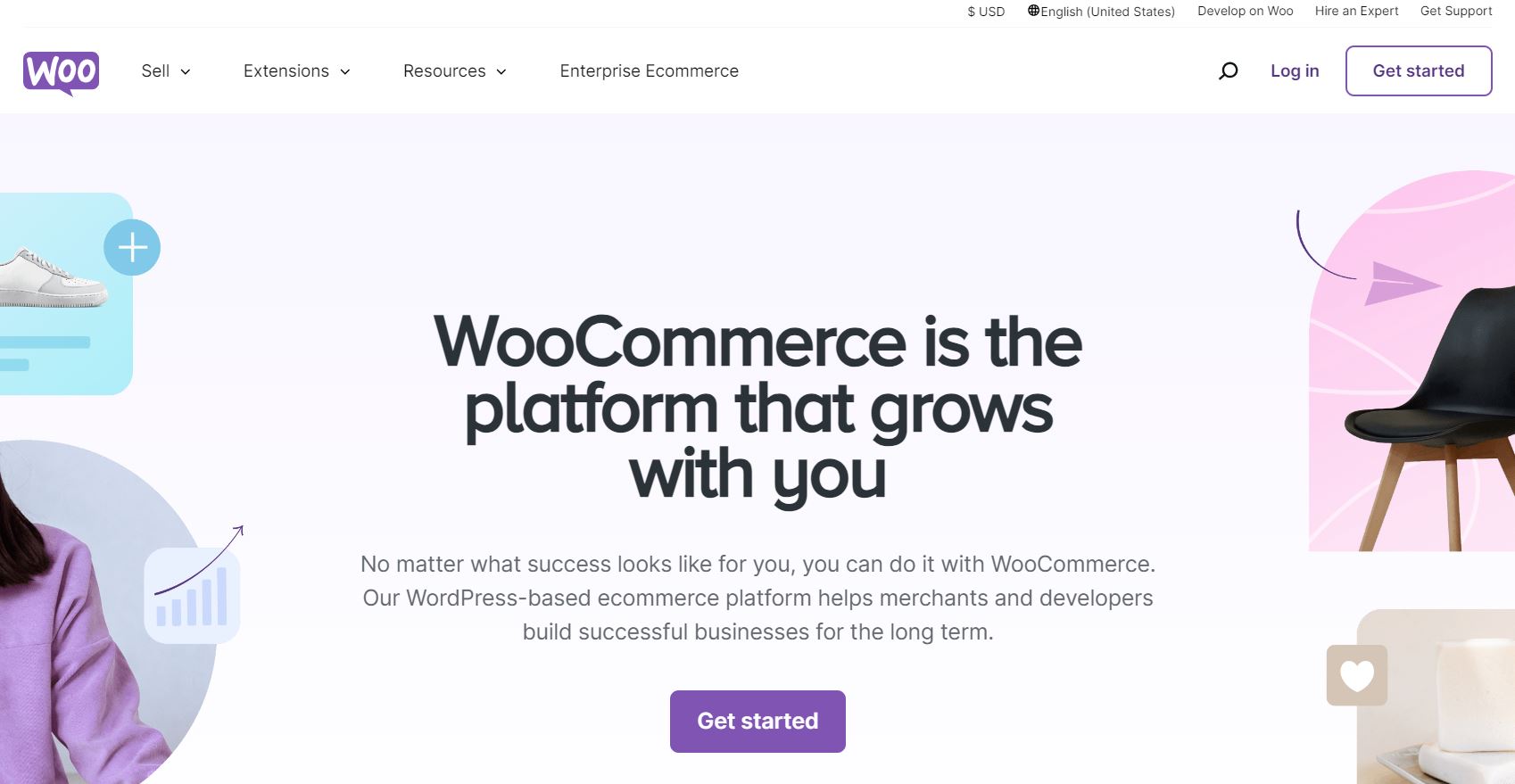
WooCommerce is a popular ecommerce plugin for WordPress, offering businesses a flexible and customizable platform for selling products online. It is designed to integrate seamlessly with WordPress, making it an ideal choice for users already familiar with the CMS.
Launched in 2011, WooCommerce has quickly become one of the most widely used ecommerce solutions globally, known for its ease of use and powerful features.
Its open-source nature and seamless integration with WordPress have made it the platform of choice for entrepreneurs and enterprises looking for a customizable, scalable ecommerce solution. WooCommerce supports a wide range of industries and business sizes, from small startups to large enterprises.
Key Features
- Seamless integration with WordPress websites, allowing for a cohesive and user-friendly experience.
- Customizable design with themes and templates, enabling you to tailor the look and feel of your store to match your brand.
- Extensive plugin library for additional functionality, providing a wide range of tools to enhance and expand your store’s capabilities.
- Secure payment processing with multiple payment gateways, ensuring safe and reliable transactions for your customers.
- Scalability to accommodate businesses of all sizes, from small startups to large enterprises, making it a versatile solution for growth.
Benefits
- Fully customizable and open-source, giving you complete control over designs, features, and functionalities to create a unique and tailored ecommerce experience.
- Supports multichannel selling across platforms, allowing you to reach a broader audience and increase sales through various channels.
- Scales effortlessly from small startups to enterprise-level businesses, providing the flexibility and power needed to grow and adapt to changing business needs.
- Offers hundreds of extensions to add advanced features, enabling you to enhance your store’s functionality and provide a better shopping experience for your customers.
Ideal for: Businesses already using WordPress that want an easy-to-implement ecommerce web builder. WooCommerce integrates seamlessly with WordPress, making it a natural choice for those looking to add ecommerce capabilities to their existing website.
User Review
“Solid and scalable platform for e-commerce”
Is WooCommerce Worth it?
Absolutely. WooCommerce is free to start, highly customizable, and integrates seamlessly with WordPress. It’s an excellent choice for those who want complete control over their online store.
Who Do We Recommend WooCommerce for?
WooCommerce is ideal for small to medium-sized businesses, especially those already using WordPress. It’s perfect for businesses that need a simple, flexible, and cost-effective platform. If you’re a beginner looking to set up a straightforward online store, WooCommerce is a great option.
8. Squarespace – Best Website Builder for Online Store
“Premier website builder with ecommerce, offering elegant templates and built-in ecommerce features.”
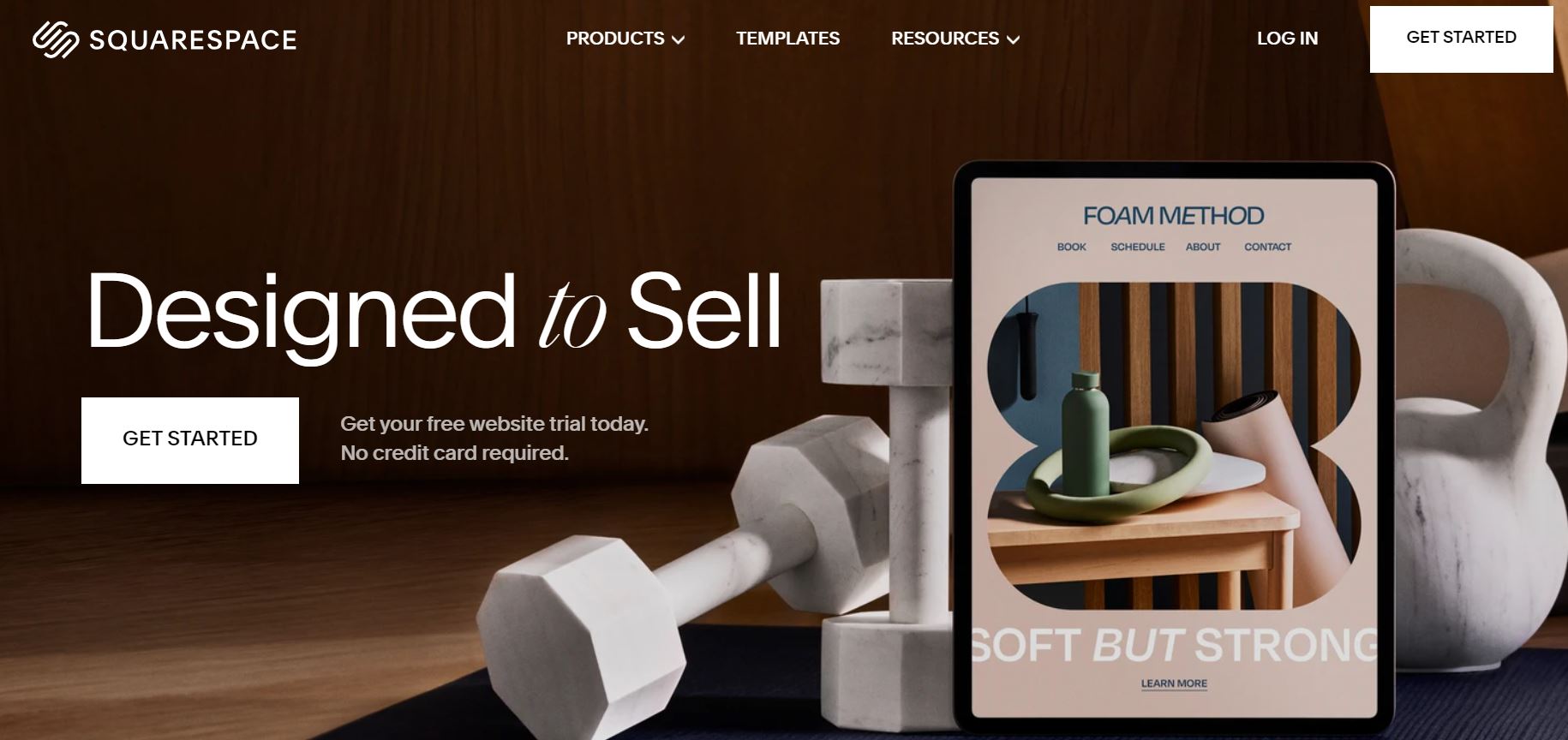
Squarespace is a well-known website builder with ecommerce capabilities, recognized for its elegant designs and user-friendly interface. Since its founding in 2004, Squarespace has provided a powerful yet straightforward platform for creating beautiful websites and online stores.
With a significant number of websites created on its platform, Squarespace has become a leading choice for entrepreneurs and creatives. It offers a seamless way to launch an online presence with both style and functionality.
Driven by the goal of making entrepreneurship accessible, Squarespace combines sophisticated design with easy-to-use tools. This enables individuals to build visually appealing and functional websites and ecommerce stores.
The company’s dedication to high-quality design has earned it numerous recognitions, including awards for being a top workplace and providing exceptional benefits.
Key Features
- Beautiful templates designed for ecommerce
- Drag-and-drop website builder for easy customization
- Integrated ecommerce functionality with secure payment processing
- SEO tools to improve online visibility and rankings
Benefits
- Provides lots of built-in ecommerce tools
- Mobile optimized designs for seamless shopping experience
- Platform includes SSL encryption and integrates with trusted payment processors
- Offers email campaigns, SEO tools, and social media integrations
- 24/7 customer support through live chat and email
Ideal for: Designers, photographers, and businesses focused on visual branding.
User Review
“Squarespace – Ultimate solution for your online business”
Is Squarespace Worth it?
Squarespace is particularly well-suited for creatives and service-based businesses. It allows you to quickly set up a simple online store, combining elegant design with essential eCommerce features.
Who Do We Recommend Squarespace for?
Squarespace works well for businesses with a small, curated inventory. Think artists selling digital downloads, photographers offering prints, or boutiques with unique, hand-picked items.
Read More: Best Strategies For Growing Your B2B Headless Commerce
Build Your Online Store with Best Ecommerce Website Builder
What Makes the Best Ecommerce Website Builder?
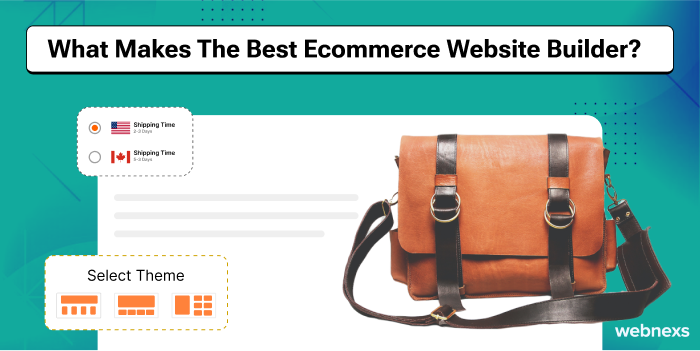
For enterprise or small and medium businesses wanting to sell products online, look for these five essential features in e commerce site builders.
1. Convenience
A clear, intuitive interface keeps visitors browsing longer. When shoppers can find products and navigate categories without friction, they’re more likely to complete a purchase.
2. Scalability
Your platform should handle traffic spikes during promotions or seasonal peaks without slowing down. Reliable performance under load protects conversions when it matters most.
3. Integrability
Seamless connections to payment gateways, shipping providers, inventory systems, and marketing tools let you run the entire operation from one dashboard.
4. Security
Look for built-in SSL, PCI compliance, automatic backups, and high uptime guarantees. These safeguards protect customer data and keep your store online.
5. Support
Responsive technical support—ideally 24/7 via chat, phone, or ticket—means issues get resolved before they impact sales or customer trust.
What Features Should I Look for in an Ecommerce Website Building Platform?
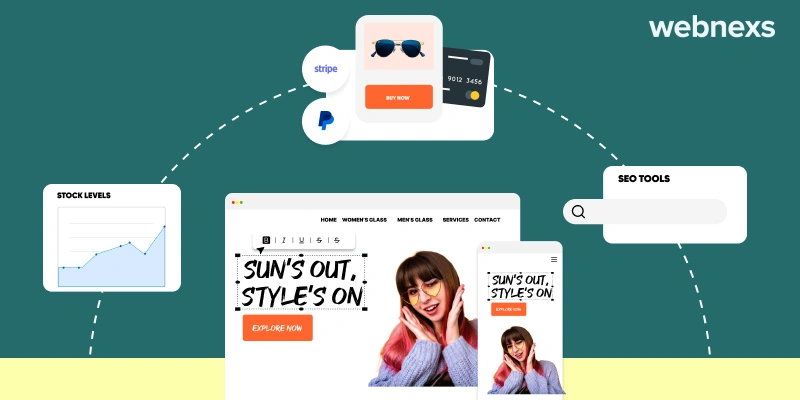
Choosing the right web builder ecommerce is crucial for the success of your online business. To create a seamless shopping experience and ensure business growth, there are several essential features you should prioritize. These features directly impact how efficiently your ecommerce site functions and how well it converts visitors into customers.
When evaluating platforms, you should consider the following:
1. Mobile Responsiveness
Most shoppers now buy straight from their phones, so a flawless mobile experience is non-negotiable
A large portion of online shoppers use mobile devices, so responsive design is essential. Your site must adapt cleanly to any screen size—navigation, product images, and checkout all need to work smoothly on phones and tablets. Platforms with mobile-first ecommerce functionality help you capture sales from every device.
2. Flexible Product Management
You need straightforward tools to add, organize, and update products—including variants, bundles, digital downloads, and subscription options. Bulk editing and CSV import/export save time as your catalog grows.
3. Secure, Streamlined Checkout
A frictionless checkout reduces cart abandonment. Look for guest checkout, saved payment methods, multiple payment options (cards, wallets, buy-now-pay-later), and automatic tax calculation. PCI compliance should be handled by the platform.
4. Built-In Marketing & SEO Tools
Native features for email capture, abandoned cart recovery, discount codes, blog content, and on-page SEO (editable meta tags, clean URLs, structured data) let you drive traffic and convert without relying solely on third-party apps.
5. Reliable Order & Inventory Management
Real-time stock tracking, low-stock alerts, order status updates, and easy fulfillment workflows (shipping labels, packing slips, tracking numbers) keep operations running smoothly from sale to delivery.
Quick Comparison Checklist
- Mobile-responsive themes that work out of the box
- No transaction fees on top of payment processor rates
- Unlimited products and bandwidth on paid plans
- 24/7 support with live chat or phone access
- App marketplace for extending functionality
- Automatic SSL and PCI compliance
- Exportable data (products, customers, orders) for portability
FAQ
Do I need coding skills to use an ecommerce website builder?
No. Modern builders use drag-and-drop editors and pre-built sections. You can launch a professional store without writing code, though some platforms allow custom CSS/HTML for advanced tweaks.
Can I migrate my store later if I outgrow the platform?
Yes, but ease varies. Choose a platform that lets you export products, customers, and order history in standard formats (CSV, XML). Some offer migration services or apps to simplify the move.
What’s the difference between hosted and self-hosted builders?
Hosted builders (like Squarespace, Shopify, BigCommerce) handle hosting, security, and updates for you. Self-hosted options (like WooCommerce) give full control but require you to manage hosting, backups, and patches.
2. SEO Tools
Search is the front door to your store – if you’re not visible there, you don’t exist
Having strong SEO tools built into your ecommerce site builder software is critical for driving organic traffic. Features like meta-tag customization, automatic sitemaps, and optimized URLs help your online store rank higher on search engines. The best ecommerce site builders make it easy to optimize your site for search engines, boosting visibility and clicks.
Look for platforms that let you edit title tags and meta descriptions for every product and category page without touching code. Automatic XML sitemap generation and submission to search consoles should happen in the background. Clean, readable URLs that include your target keywords — rather than random parameters — give both users and crawlers a clear signal about page content. Built-in schema markup for products, reviews, and breadcrumbs can earn rich snippets in search results, which often increases click-through rates without any extra effort on your part.
3. Secure Payment Systems
A smooth, secure checkout is what turns one-time buyers into repeat customers
A secure and reliable payment gateway is another key feature of an ecommerce platform. Look for top ecommerce builders that offer multiple payment options, such as PayPal, Stripe, and credit card processing. This enhances trust with your customers and reduces cart abandonment, improving conversion rates.
Beyond the big names, verify that the platform supports local payment methods your target audience expects — think Apple Pay, Google Pay, buy-now-pay-later services, or region-specific options like iDEAL or Boleto. PCI DSS compliance should be handled by the builder so you never store raw card data. Transparent fee structures matter: some platforms add a transaction fee on top of the processor’s cut, which can erode margins on low-ticket items. A single-page, guest-friendly checkout with auto-fill address lookup and clear error messaging keeps friction to a minimum.
4. Product Management
Shoppers walk the moment they hit an out-of-stock product, so a reliable shopping cart and live inventory are essential
Efficient product management is vital for any web builder for ecommerce. A platform that allows you to easily organize and update product catalogs, set stock levels, and offer promotions can help your store run smoothly. Best ecommerce website builders provide intuitive dashboards for managing your products and inventory.
Bulk import and export via CSV or spreadsheet saves hours when you’re onboarding hundreds of SKUs or updating seasonal pricing. Variant handling — size, color, material — should let you assign unique SKUs, images, and stock counts to each combination without creating duplicate parent products. Real-time inventory sync across sales channels (your site, marketplaces, POS) prevents overselling. Look for low-stock alerts, backorder rules, and the ability to schedule flash sales or tiered discounts in advance so promotions go live automatically.
5. User-Friendly Interface
A clumsy, ugly layout makes visitors bounce before they ever see your products
The best website builder for ecommerce should be easy to use, even for beginners. Look for platforms that offer drag-and-drop functionality and pre-built templates to make designing your site simple. Best ecommerce site builders for small businesses will offer flexible design options without needing advanced technical skills.
A true visual editor lets you see changes instantly — move a banner, swap a product grid, adjust spacing — without toggling between preview and edit modes. Responsive templates should adapt cleanly to mobile, tablet, and desktop without you writing media queries. Design systems with global style settings (typography, color palette, button radii) keep branding consistent across every page. If you need deeper customization, access to the theme’s Liquid, Twig, or React components lets developers extend functionality without fighting the platform.
Build Your Online Store with Best Ecommerce Website Builder
How Do I Choose the Right Ecommerce Website Platform for My Solution?

1. Simplicity in Usage
Did You Know?
A simple, intuitive interface is what turns first-time visitors into loyal, repeat buyers
The cruciality of a user-friendly interface cannot be undermined, as it is the tangible touchpoint for a user of the site. Traffic can be generated easily with an easy-to-navigate platform, as it acts as a cushioning effect for users online. Once they become comfortable with this, it then facilitates exploring your website, by which they can be intrigued to understand all of your product offerings and gain information on all the functionalities of the site.
When evaluating simplicity, test the onboarding flow yourself: can you add a product, set up shipping, and publish a page in under 30 minutes without reading documentation? A clean admin sidebar with logical groupings — Orders, Products, Customers, Marketing, Settings — reduces cognitive load. Contextual help tooltips and an integrated knowledge base mean you rarely leave the dashboard to find answers. Role-based permissions let you give staff access to only what they need (e.g., fulfillment team sees orders but not analytics), which keeps the interface uncluttered for each user.
Quick FAQ: Choosing Your Platform
What if I outgrow the builder’s built-in features? Most mature platforms have an app marketplace or API access so you can add ERP sync, advanced loyalty, or custom checkout logic without migrating.
How important is page speed for SEO? Core Web Vitals are a confirmed ranking factor. Choose a builder that serves static assets from a global CDN, minifies CSS/JS automatically, and lets you lazy-load images without plugins.
Can I migrate my catalog later if I switch platforms? Yes — export your products, customers, and order history as CSV or via API. Most major builders offer migration apps or partner agencies to handle the heavy lifting.
When visitors find your site easy to navigate and rich with useful information, they’re more likely to buy. Those satisfied buyers often share their experience with friends and colleagues, creating organic word-of-mouth that money can’t buy. That’s why investing in a clean, intuitive user interface pays off long after launch.
2. Capabilities
Every white-label platform ships with a different mix of features. Before you commit, map out your must-haves: unlimited product listings, real-time inventory tracking, flexible product variations (size, color, material), and smart filtering so shoppers find what they need fast. Then compare each vendor’s feature set against that list. If a platform forces workarounds for basics like variant management or bulk import, it will slow you down daily.
Quick capability checklist
- Unlimited products and categories
- Inventory sync across sales channels
- Product variations with unique SKUs, pricing, and images
- Faceted search and filter by attribute
- Bulk import/export via CSV or API
- Built-in SEO controls per product and page
3. Device Optimization
Shoppers browse on phones, tablets, laptops, and smart TVs. If your store forces pinch-zooming, horizontal scrolling, or waits more than a few beats for images to load, they leave. Responsive design isn’t optional—it’s the baseline. Test every template on real devices, not just browser emulators. Prioritize mobile-first layouts: large tap targets, compressed images, lazy loading, and a checkout that works thumb-only.
Performance habits that keep speed up
- Enable server-side caching and a CDN
- Serve next-gen image formats (WebP, AVIF) with fallbacks
- Minify CSS/JS and defer non-critical scripts
- Monitor Core Web Vitals monthly
4. Security Compliance (SSL)
SSL encrypts every byte between the shopper’s browser and your server. Without it, browsers flag your site as “Not Secure,” and payment gateways may reject transactions. Ensure the platform provisions a valid TLS certificate automatically (Let’s Encrypt or paid), forces HTTPS site-wide via HSTS, and supports PCI-DSS-compliant checkout if you handle card data directly. If you use a hosted payment page, confirm the redirect stays on your domain for trust continuity.
5. Product Support
Launch day is the start of the relationship, not the end. You’ll need help configuring shipping rules, debugging a payment webhook, or customizing a template. Choose a vendor that offers multiple support tiers: searchable knowledge base, ticket system with published response-time targets, and a direct line (chat or phone) for critical outages. Ask for the escalation path before you sign—knowing who owns a P1 incident at 2 a.m. saves panic later.
Support questions to ask during demos
- What’s the average first-response time for critical tickets?
- Is 24/7 coverage included or an add-on?
- Do you assign a named technical account manager?
- How are platform updates communicated and tested?
- Can I access staging environments for safe changes?
FAQ
How do I know if a platform’s feature list matches my real needs?
Write down your top ten daily workflows (add a bundle product, split an order, run a flash sale). Run each workflow in the vendor’s sandbox. If you need a workaround or a third-party plugin for more than two, the platform isn’t a fit.
What’s the fastest way to test mobile usability?
Open your staging site on your own phone. Complete a full purchase—search, filter, add to cart, checkout, pay with Apple/Google Pay. Note every hesitation or zoom. Fix those first.
Do I need a dedicated IP for SSL?
No. Modern SNI (Server Name Indication) lets multiple certificates share one IP. Any reputable platform handles this automatically.
What if my vendor sunsets a feature I rely on?
Check the contract for a deprecation policy: minimum notice period, migration assistance, and whether you can stay on the old version temporarily. Get it in writing.
Read more: Best multi vendor platform for ecommerce
What Are the Key Technical Requirements When Choosing the Best Site for Ecommerce?
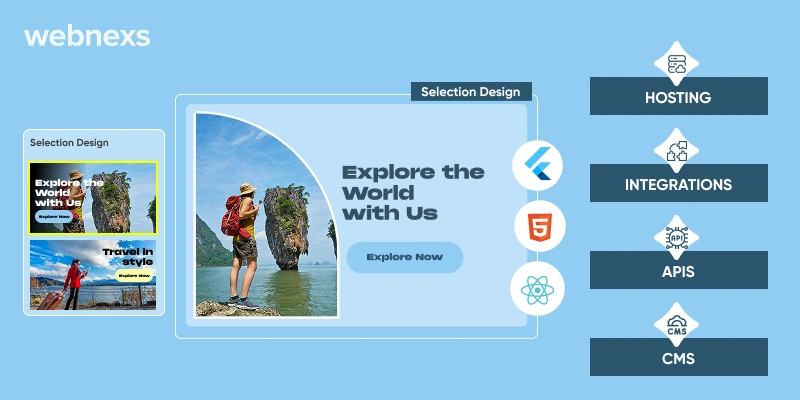
Skip the key technical requirements and you pay for it later in poor performance and higher running costs
1. Hosting
Selecting the right hosting type is crucial for your e-commerce platform’s performance, security, scalability, and cost. It affects how well the site handles traffic, ensures uptime, and protects sensitive customer information. Reliable hosting can make a significant difference in the overall user experience and operational efficiency of your online store.
2. Integrations
The e-commerce platform should support third-party applications and services to offer complete flexibility. This ensures that the platform is future-proof and adaptable to changes in the market, allowing you to meet the evolving demands of your users without needing to invest in new solutions. Look for a platform that offers a wide range of integrations with popular tools and services, such as payment gateways, marketing automation, and customer relationship management (CRM) systems.
3. APIs
APIs (Application Programming Interfaces) enable different systems or applications to communicate and exchange data efficiently. Compatibility with various APIs is essential for seamless integration and data flow between different components of your e-commerce platform. This is particularly important if you plan to connect your e-commerce site with other business systems, such as inventory management, shipping, and analytics tools. A robust API ecosystem can significantly enhance the functionality and efficiency of your online store.
4. Content Management System (CMS)
A good CMS should support flexible site management, including integrated SEO tools, version control features, and reporting tools. These features are crucial for managing and optimizing your content, ensuring that your site ranks well in search engines and provides a great user experience. Version control allows you to track and revert changes, while reporting tools help you analyze content performance and user engagement, enabling you to make data-driven decisions to improve your site.
Read more: Best seller ecommerce onboarding process
Build Your Online Store with the Best Ecommerce Website Builder
How Do I Find the Custom Ecommerce Solution for My Business Size?

– For Small Businesses
For small businesses, choosing the right e-commerce website builder is essential for growth while keeping costs low. The focus should be on affordability, user-friendly interfaces, and scalability to ensure the platform can grow as your business expands. Prioritize platforms that offer easy setup, intuitive design, and a range of features that can support your business needs without breaking the bank.
Platforms like Wix, Weebly, and Shopify are great options for small businesses due to their easy-to-use templates, drag-and-drop builders, and budget-friendly plans. These builders come with integrated tools for SEO optimization, mobile responsiveness, and secure payment gateways, all essential for running a smooth online store. Additionally, they often provide customer support and resources to help you get started and optimize your site.
– For Large Enterprises
Large enterprises require advanced enterprise ecommerce platforms that can handle high traffic, complex product catalogs, and offer enterprise-level features. The best options in this category include Webnexs, Wcart, and BigCommerce, all three are built to scale with business growth while offering advanced features like multi-channel integration, inventory management, and API support.
These platforms provide essential features for large businesses, including enterprise-grade security, multi-language support, and the ability to integrate with third-party software like ERP systems and CRM tools.
Platforms for Specific Business Needs
When your business has unique requirements, selecting a website builder that addresses your specific needs is critical. For example, retailers will benefit from platforms like Webnexs or Wcart, which offer features such as POS integration, inventory management, and shipping solutions. For creative industries or those in need of flexibility in design, platforms like Squarespace are ideal for their drag-and-drop interface and extensive design options.
For international businesses, platforms that offer multi-language support and global payment gateways are crucial to operate smoothly across different regions.
How to Choose the Best Ecommerce Platform for Your Business

Selecting the right ecommerce website maker is crucial for the success of your online store. Each platform offers different features and pricing models, so it’s essential to choose one that aligns with your business needs. Here’s a guide to help you make the best choice:
- Consider Your Business Type and Size Assess the nature of your business—whether you’re selling digital products, physical goods, or online courses. The best online store builders should support your product offerings and scale with your business as it grows.
- Set a Budget and Plan for Growth Start by setting a budget and consider long-term scalability. Make sure to account for hidden costs such as apps, premium templates, and price increases as your business expands. Top ecommerce site builders offer affordable plans with room to grow.
- Evaluate Ease of Use Your confidence in building and managing an online store matters. Look for a user-friendly ecommerce website maker with drag-and-drop functionality and an intuitive backend dashboard. This ensures smooth website creation, even if you have limited technical skills.
- Check Multichannel Selling Capabilities If you plan to sell across various platforms, choose an ecommerce website provider that supports multichannel selling. Seamless integration with social media, marketplaces, and in-person sales will allow you to manage everything from one place.
- Focus on Customer Experience Prioritize features that enhance customer satisfaction, such as a smooth checkout process, multiple payment options, and tools to drive engagement. The best ecommerce website builder comes with features like email marketing, customer reviews, and social media integration.
By considering your business needs, budget, and growth potential, you’ll be better equipped to select the best website builder for online store that helps you stand out in a competitive marketplace.
Key Questions to Ask Before Committing
- Does the platform support your current product catalog size and expected growth?
- What level of technical expertise is required to manage day-to-day operations?
- Are there transaction fees on top of the monthly subscription?
- How responsive is customer support when issues arise?
- Can you migrate data easily if you need to switch platforms later?
How Much Does an Ecommerce Website Cost?

The investment required to build an ecommerce website depends on the platform you choose, the level of customization, the features you need, and whether you hire developers or use a DIY builder. Most businesses find the total cost falls within a broad range that reflects these variables.
What Are the Key Terms I Should Know When Building an Ecommerce Platform?
Understanding the core terms – SEO, UX/UI, CMS – is essential to building a store that actually succeeds.
Below are the foundational concepts you will encounter when evaluating platforms or speaking with developers. Knowing these helps you ask the right questions and avoid costly misunderstandings.
1. API (Application Programming Interface)
An API lets different software systems talk to each other. For an ecommerce site, this is how your store connects to payment gateways, shipping carriers, inventory systems, and marketing tools. A platform with a well-documented, flexible API makes it far easier to add new capabilities later without rebuilding from scratch.
2. CMS (Content Management System)
A CMS is the backend interface where you create and manage product pages, blog posts, banners, and other site content without writing code. A good ecommerce CMS lets you update prices, descriptions, and images quickly, schedule promotions, and organize content for SEO. Look for one that supports versioning and role-based permissions if you have a team.
3. Middleware
Middleware sits between your ecommerce frontend and backend systems (ERP, CRM, POS, warehouse management) to translate and route data. It handles tasks like syncing inventory levels in real time, pushing orders to fulfillment, and keeping customer records consistent across channels. Without it, you risk manual workarounds and data errors as you scale.
4. Secure Sockets Layer (SSL) / TLS
SSL (now technically TLS) encrypts data traveling between a shopper’s browser and your server. This protects payment details, passwords, and personal information. Every ecommerce site must have a valid certificate—browsers flag sites without one as “Not Secure,” which destroys trust and hurts conversions. Most platforms include this automatically; verify before launch.
5. Load Balancing
Load balancing distributes incoming traffic across multiple servers so no single server gets overwhelmed. This keeps your site fast and available during traffic spikes—flash sales, holiday peaks, or viral campaigns. It can be implemented at the network level (hardware), via cloud services, or through application-layer software. If you anticipate growth, confirm your hosting supports it.
6. Webhook
A webhook is an automated notification sent from one system to another when a specific event occurs—like a new order, a payment confirmation, or a shipping update. Unlike polling (checking repeatedly), webhooks push data instantly. This enables real-time order processing, inventory sync, and customer notifications. Most modern platforms support webhooks; check the event catalog to ensure it covers your workflows.
What Are the Common Challenges When Choosing an Ecommerce Website Builder?
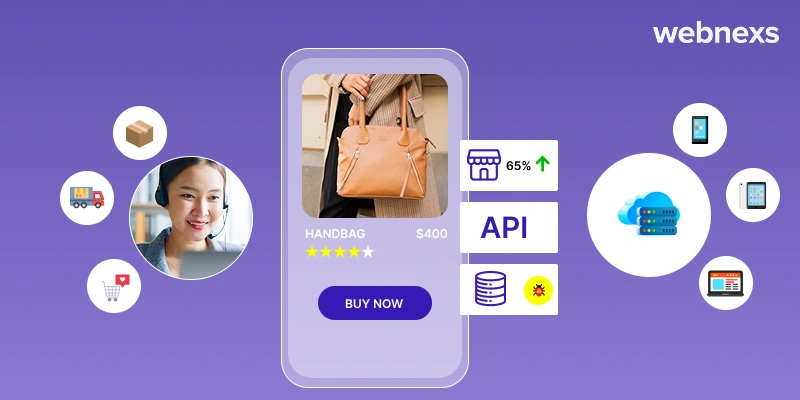
Picking a platform built for scalability and integrations is what carries you through traffic spikes and growth
1. Handling Traffic Surges
Your platform must scale automatically or with minimal intervention when traffic spikes. Look for cloud-native architecture, auto-scaling infrastructure, and a proven track record during high-volume events (Black Friday, product launches). Ask vendors for uptime SLAs and case studies from merchants with similar traffic patterns. A platform that buckles under load loses sales and damages brand reputation.
2. Platform Outages and Reliability
Downtime directly translates to lost revenue and eroded customer trust. Evaluate the provider’s historical uptime, incident response process, and transparency during outages. Red flags include frequent maintenance windows during peak hours, lack of a status page, or no clear escalation path. Redundancy across data centers and a managed SLA with penalties for breaches are strong signals of reliability.
3. Integration Limitations
Many builders restrict which third-party tools you can connect—payment gateways, ERPs, email marketing, review platforms, or custom apps. Before committing, map your current and planned tech stack, then verify each integration exists natively or via a supported API. Proprietary ecosystems can lock you into expensive workarounds later.
4. Total Cost of Ownership Surprises
The advertised monthly fee rarely tells the whole story. Factor in transaction fees, app subscriptions, theme purchases, developer retainers, and upgrade costs for higher tiers. Request a breakdown for your projected order volume and feature set over 12–24 months. Platforms with transparent, predictable pricing models reduce budget risk.
5. Limited Customization and Design Flexibility
Template-based builders speed up launch but can constrain branding, checkout flow, and mobile experience. Assess whether you can edit HTML/CSS/JS, override checkout templates, or build headless frontends. If your brand experience is a differentiator, prioritize platforms that give developers full control without fighting the system.
Quick FAQ: Choosing an Ecommerce Builder
How do I know if a platform will scale with my business?
Look for merchants similar to your size and model who have grown on the platform. Ask for references, check case studies, and verify the infrastructure supports auto-scaling, multi-region deployment, and high API rate limits. A platform that powers enterprise brands is a strong indicator.
Should I choose a hosted (SaaS) or self-hosted solution?
Hosted platforms (Shopify, BigCommerce, Webnexs) handle infrastructure, security patches, and PCI compliance—ideal if you want to focus on selling. Self-hosted (WooCommerce, Magento/Open Source) gives full control but requires developer resources for hosting, updates, and security. Match the choice to your team’s technical capacity.
What questions should I ask during a demo or trial?
Test the exact workflows you use daily: add a complex product with variants, process a return, set up a tiered discount, connect your email tool, and preview mobile checkout. Ask about API rate limits, webhook reliability, data export formats, and support response times for critical issues.
How important is headless commerce capability?
Headless separates the frontend from the backend, letting you build custom experiences (PWAs, apps, kiosks) while keeping commerce logic centralized. It matters if you need omnichannel consistency, extreme performance, or unique interfaces. If a standard storefront meets your needs, traditional coupled architecture is simpler and faster to maintain.
3. Third-party integrations
Connecting your store to external tools such as payment gateways, shipping carriers, ERP systems, or marketing platforms relies on API interoperability. Well-documented REST or GraphQL endpoints let your development team map data fields, handle authentication, and set up webhooks for real-time events like order creation or inventory changes. Before committing, verify that the provider offers sandbox environments, rate-limit policies that match your traffic, and clear versioning so updates don’t break existing workflows.
4. Database management
A reliable database layer covers provisioning, schema design, indexing strategy, backup scheduling, and encryption at rest. Use managed services (for example, Amazon RDS, Azure Database, or Google Cloud SQL) to offload patching and failover. Define a naming convention for tables and columns, enforce foreign-key constraints, and run regular vacuum or analyze jobs to keep query plans efficient. Audit access logs monthly and rotate credentials on a fixed calendar to meet PCI DSS and GDPR requirements.
5. Upgrades and migrations
Platform updates, data migrations, and rollback procedures can interrupt live traffic if not staged carefully. Adopt a blue-green or canary deployment pattern: spin up a parallel environment, run automated smoke tests against a subset of real traffic, then promote once error rates stay below your threshold. Keep a runbook that lists every migration script, its rollback command, and the owner responsible for sign-off. Schedule maintenance windows during low-traffic hours and communicate them to customers in advance.
6. Load balancing and redundancy
Distributing incoming requests across multiple servers prevents any single node from becoming a bottleneck. Configure health checks that probe application endpoints (not just TCP ports) so the balancer removes unhealthy instances automatically. Pair this with auto-scaling groups that add capacity based on CPU, memory, or custom metrics like checkout queue length. Enable session affinity only when stateful workflows demand it; otherwise, stateless designs scale more predictably.
Read more: Marketplace trends you need to know in 2026
Webnexs Ecommerce Website Builder Case Study: Japanese Whisky Retailer
A specialist retailer of rare Japanese whiskies and casks—operating as both a curated shop and an independent bottler—needed a digital storefront that could handle complex inventory logistics across warehouses in Japan and the United Kingdom. Their existing site struggled with order synchronization, stock visibility, and security gaps that risked product diversion.
Webnexs built a custom e-commerce platform on a white-label basis. The engagement started with an intranet layer that linked the web front end directly to warehouse management systems. This integration automated order routing, matched bin locations to product SKUs to prevent mis-picks, and created an audit trail that virtually eliminated bottle theft.
Technical SEO foundation
The team restructured site architecture for crawlability: logical URL hierarchies, XML sitemaps submitted via Search Console, and a tuned robots.txt that guided bots to high-value pages while excluding faceted navigation duplicates. HTTPS with TLS 1.3 was enforced site-wide, and canonical tags consolidated similar product variants so search engines indexed the preferred version.
On-page optimization
Every product detail page received unique, keyword-rich titles, structured data markup for Product and Offer schemas, and optimized image alt text. Category pages were rewritten with buyer-intent copy that answered common questions about age statements, cask types, and flavor profiles. Internal linking connected related expressions and limited-edition releases, distributing authority across the catalog.
Frequently asked questions
How do I evaluate whether a third-party API is production-ready?
Check for a public status page, comprehensive documentation with code samples, a sandbox environment that mirrors production, and a clear SLA covering uptime and support response times. Run a proof-of-concept integration against your staging environment before signing a contract.
What backup strategy works best for an e-commerce database?
Combine automated daily snapshots with point-in-time recovery (PITR) so you can restore to any second within the retention window. Test restores quarterly in an isolated environment and document the recovery time objective (RTO) and recovery point objective (RPO) your business can tolerate.
When should I use blue-green versus canary deployments?
Blue-green suits major version changes where you want an instant cutover and a fast rollback path. Canary is better for incremental feature releases where you can expose a small percentage of users, monitor error rates, and gradually ramp traffic.
How does load balancing interact with session data?
If your application stores session state locally on each web server, enable sticky sessions (session affinity) at the load balancer. A more scalable approach is to externalize sessions in a shared store such as Redis or a database, allowing any instance to serve any request.
Furthermore, the graphics were designed to enhance user appeal and deliver a pleasant browsing experience. Aesthetic enrichments ensured seamless interaction with the site. These strategies, combined with Google ad campaigns, enabled targeted advertising and increased visibility, driving more traffic and expediting lead conversions.
Advanced sets of technological stacks were employed to deliver the most promising results driven by efficiency. Here is the list of the stack:
Database Management System
- MYSQL
- Mongo
Backend Technologies
- Express.js
- Node.js
Scripting Language
- PHP
Content Management System
- WordPress
Cloud Storage
- AWS S3
All of this was incorporated into the agile methodology, where the Scrum framework was employed to deliver sprints as they were completed. This allowed for regular review and updates to be integrated into the development process parallel to code deployment. This approach provides greater flexibility in making alterations and can accommodate changes more effectively than the traditional waterfall method.
For their division of cask investment, they preferred a tech-driven solution to enable investors to access up-to-date information and seamlessly manage their investment particulars. Reciprocating their claims and demands, we suggested building an exclusive application called BaseApp, which primarily comprises specifics on the investment and provides comprehensive knowledge on their shareholding. Additionally, an independent application was developed to cater to the informational requirements of the investors.
Technical glitches did emerge, and comprehensive support was offered, addressing all concerns until the site was stabilized in its complete functionalities and operations. Resolution management has been meticulously executed, which has earned us credibility and a significant reputation.
Besides that, speedier page load times and enhanced performance have been optimized to provide maximum convenience and seamless usability. These factors have been instrumental in transforming the website into a robust platform that can significantly contribute to generating substantial sales revenue.
This case study demonstrates the success of a business when partnered with the right service provider. Online business growth is a crucial source of revenue generation and an efficient channel to reach a wider audience and accelerate growth, revolutionizing the way businesses operate.
Final Thoughts on Choosing the Best Site for Ecommerce
In conclusion, top ecommerce website builders are crucial in helping businesses establish and grow their online presence. Your choice of ecommerce website maker should align with your business requirements. For instance, if your focus is selling services, Shopify presents a compelling option. However, Webnexs stands out as our top-rated ecommerce website builder, surpassing competitors with its exceptional sales features and high-quality performance in the market.





















31 Responses
Keep up the fantastic work on explaining the best ecommerce website builder for small business.
Wow wonderful top ecommerce web builder blog layout How long have you been blogging for you make blogging look easy The overall look of your site is great as well as the content
I wanted to take a moment to commend you on the outstanding quality of your blog. Your dedication to excellence is evident in every aspect of your writing on ecommerce website builder software. Truly impressive!
Thank you for sharing this insightful best ecommerce website builders article! I found the information really useful and thought-provoking. Your writing style is engaging, and it made the topic much easier to understand. Looking forward to reading more of your posts!
I would like to thank you for the efforts you’ve put in writing this easy ecommerce website builder blog. I am hoping the same high-grade web site post from you in the upcoming also. In fact your creative writing abilities has inspired me to get my own blog now. Really the blogging is spreading its wings fast. Your write up is a good example of it.
Your writing on ecommerce website building companies blog is not only informative but also incredibly inspiring. You have a knack for sparking curiosity and encouraging critical thinking. Thank you for being such a positive influence!
Thanks I have recently been looking for info about this subject e commerce website maker for a while and yours is the greatest I have discovered so far However what in regards to the bottom line Are you certain in regards to the supply
Your blog is like a beacon of light in the vast expanse of the internet for those who search for best e commerce website builders. Your thoughtful analysis and insightful commentary never fail to leave a lasting impression. Thank you for all that you do.
Normally I do not read article on blogs however I would like to say that this writeup very forced me to try and do so Your writing style has been amazed me Thanks quite great post on best online ecommerce website builder.
Thank you for this insightful post! I really appreciate the effort you put into creating such valuable content based on ecommerce website maker.
You have brought up a very excellent points, regards for the ecommerce website builder companies post.
Your ecommerce site builder reviews blog is a true hidden gem on the internet. Your thoughtful analysis and engaging writing style set you apart from the crowd. Keep up the excellent work!
I’m about to start my first ecommerce site, as the options are overwhelmed, now I’m in search of the best website builder for online store that’s beginner-friendly. Do you provide customized platforms for startups?
I just wanted to express my gratitude for the valuable insights you provide through your ecommerce builder reviews blog. Your expertise shines through in every word, and I’m grateful for the opportunity to learn from you.
Hello, I’m not a developer, so I need the best online store builder that doesn’t require coding but still gives me control over the shopping experience, especially the checkout flow and how products are displayed.
Hi, I’m planning to bring my physical store online and looking for the best ecommerce website builder. With the above comparisons, I have decided to create an ecommerce platform with you. Does your platform offer a complete package — including payment integration, inventory sync, shipping options, mobile responsiveness, and AI-powered recommendations?
Thanks I have just been looking for information about best website builder for ecommerce. Now I’m ready to create a best platform.
Hello, I was in need of information about ecommerce website building companies. Now I got a full guide which is helping me to start my ecommerce business right away.
Nowadays ecommerce website builders are the easy way to create a online store. I’m need of a best website builder for my online store. So could you briefly explain about your services.
Insightful article on best ecommerce website builders. I need to build a ecommerce platform just to target a specific region(a state). I’d like to learn more about your service.
Hello, I’m interested in building a ecommerce website for my company. To expand my company in the ecommerce industry also. Especially targeting the abroad countries.
Hello, I’m starting a simple ecommerce platform. Will you help me with best ecommerce website builder software?
I’m continually impressed by the depth of your knowledge and the clarity of your writing in best sites for ecommerce website creation.
Hi, in need of a best ecommerce platform with features like live shopping, AI integration and all the modern trends.
Hi, I need to build a ecommerce platform with a custom ecommerce solution. I’ll also be offering extra discounts and quarterly deals. So the platform should support peak traffic times too. Also I care about high security for the the shoppers in my site.
Hi, I’m in search of ecommerce website maker to transform my offline shop to online business. Will your ecommerce platform comes with all the features integrated as a pack?
I have worked with some of the best sites for ecommerce. But ended up with negative results. I would like to work with you for ecommerce business.
Hi, I’m interested in running a custom ecommerce solution for my online shoe based business. It needs to be the best commercial website. I need to know if its possible to integrate all my sales channels.
Hello team, looking to inquire about the pricing details regarding custom headless ecommerce solution for my business.
Thank you for the good writeup. I’m interested in service of ecommerce website building platform. However how could we communicate?
Hello, I’m interested in building a best online shopping platform specifically for selling car accessories. I’d like to learn more about your service.