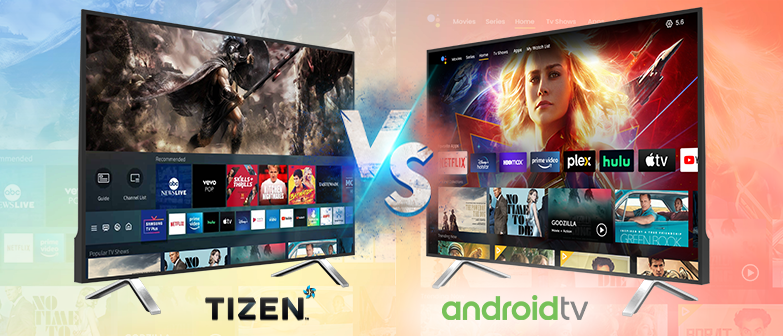
Tizen OS vs Android TV is one of the most common questions smart TV buyers face. Some operating systems have become widely recognized, and Tizen — often overlooked despite being everywhere — is especially favored by those who appreciate Samsung’s picture quality. Samsung televisions use their proprietary Tizen OS, not Android TV.
In the realm of smart TV connected technology, some operating systems have become widely recognized. Tizen, for instance, is a robust and often overlooked system, especially favored by those who appreciate Samsung’s picture quality. It’s important to note that Samsung televisions use their proprietary Tizen OS, not Android TV.
Choosing between Tizen OS and Android TV depends on your target audience and streaming requirements. If you’re planning to launch a streaming business, our OTT platform development guide can help you understand the technologies and steps involved in building an OTT platform.
When shopping for a new television, picture quality is typically the first feature consumers evaluate. However, the operating system of the TV also plays a crucial role unless you plan to use an external streaming device. “However, the operating system of the TV also plays a crucial role unless you plan to use an external streaming device, like when comparing options such as Roku vs Apple TV .”
Tizen is well-regarded among tech enthusiasts. Initially, Samsung used Tizen as the operating system for its wearable devices, including watches and fitness trackers. Today, Tizen OS and Android TV are two of the most prominent smart TV platforms, each with unique features and capabilities.
In this article, we will explore the characteristics, available applications, gaming, and updates of each operating system (Tizen OS vs Android TV). By the end, you’ll be better equipped to choose the right smart TV for your needs.
Key takeaways:
- Tizen OS is Samsung’s proprietary smart TV platform; Android TV is Google’s, used across multiple TV brands.
- Android TV offers a larger app library via the Google Play Store, including niche apps and sideloading support.
- Tizen OS is optimized for Samsung hardware, delivering snappy performance and Bixby voice control.
- Android TV integrates deeply with Google Assistant, Chromecast, and multi-user profiles for personalized recommendations.
- Your choice mainly comes down to ecosystem fit — Samsung/SmartThings users lean Tizen, Google/Android users lean Android TV.
What is Tizen OS?
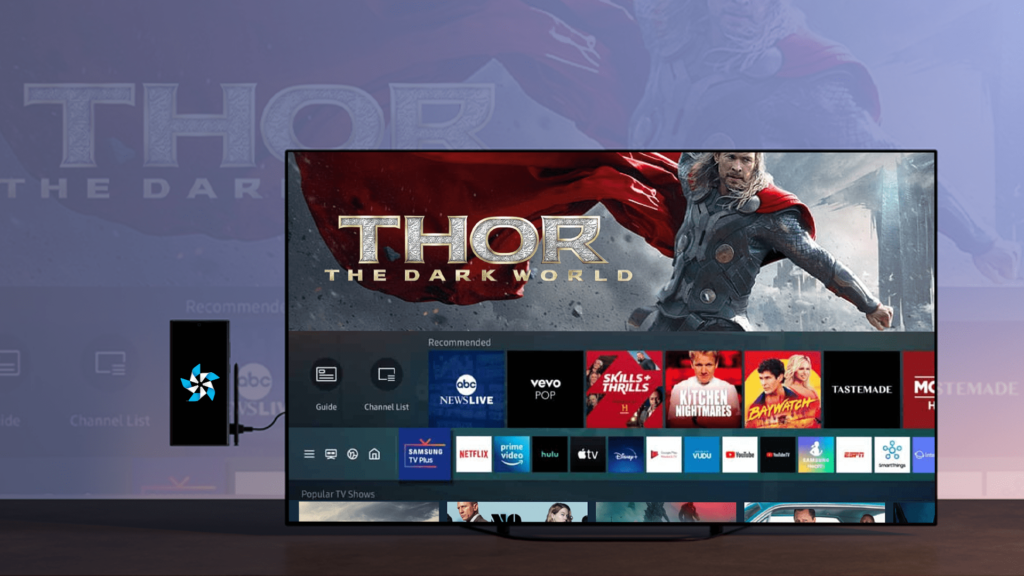
Tizen OS is an open-source operating system developed by Samsung, used in various smart devices such as TVs, wearables, and smartphones. Introduced in 2012 as a successor to Bada, Tizen is based on Linux and offers a user-friendly interface, an easy-to-use app store, and a range of features like voice search, screen mirroring, and multimedia playback. It supports multiple programming languages, including HTML5, CSS, and JavaScript, making it accessible for developers.
What is Android TV?
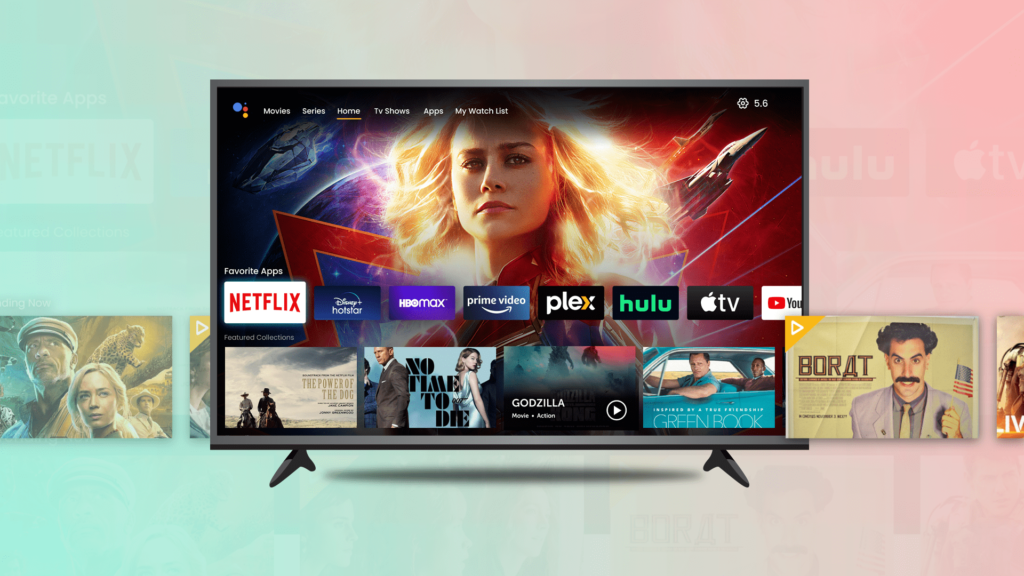
Android TV is an operating system developed by Google, designed for smart TVs and streaming devices. Launched in 2014, it is based on the Android platform, which is widely used in smartphones and tablets. Android TV provides access to the Google Play Store, where users can download a variety of apps, games, and video streaming services. It also includes features like voice search, screen mirroring, and multimedia playback, along with Chromecast built-in, allowing users to cast content from their mobile devices to their TV screens.
Tizen OS Vs Android TV: Which is Better?
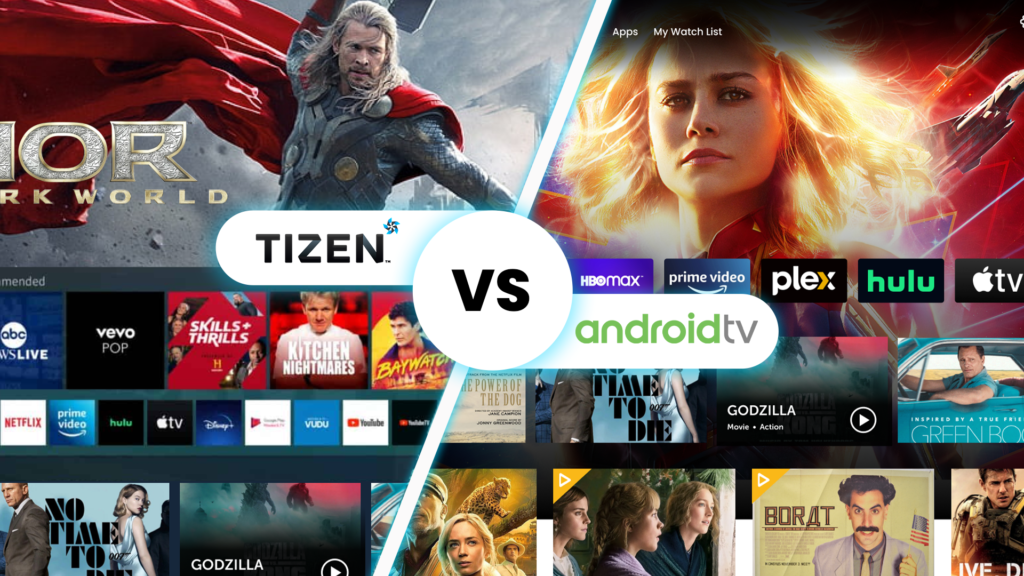
Both Tizen OS and Android TV offer a wide array of features and functionalities, making them popular choices for smart TVs. However, there are several key differences between the two that may influence your decision. Understanding these differences will help you choose the best option for your specific needs.
Read More : For official specs, see Samsung’s Smart TV developer portal.
Tizen OS vs Android TV: Feature-by-Feature Comparison
User Interface
The user interface shapes your daily interaction with the TV. Tizen OS presents a streamlined, horizontal ribbon layout that prioritizes recently used apps and Samsung’s own services. The design emphasizes large, legible icons and minimal clutter, making it approachable for viewers who want a straightforward experience. Android TV uses a content-forward grid that surfaces recommendations from multiple streaming services directly on the home screen. Its interface allows deeper personalization—you can reorder rows, pin favorite apps, and tailor the layout to match your viewing habits.
App Store and Content Availability
Both platforms deliver the major streaming services most households expect: Netflix, Hulu, Amazon Prime Video, Disney+, YouTube, and HBO Max. Android TV’s Google Play Store offers a significantly larger catalog, including niche streaming apps, retro gaming emulators, utility tools, and a wider selection of casual games. Tizen’s app store covers the essentials but has fewer specialty applications. If you rely on a specific regional or lesser-known streaming service, check its availability on Tizen before committing.
Voice Search and Smart Assistant Integration
Voice control handles content search, playback commands, and smart home device management. Tizen OS integrates Samsung’s Bixby, which works well within Samsung’s ecosystem—controlling SmartThings devices, Samsung appliances, and TV settings. Android TV features Google Assistant, which excels at general knowledge queries, cross-app content search (“show me action movies on Netflix”), and controlling the broader range of Google Home and Matter-compatible smart home devices. If you already use Google Assistant on your phone or Nest speakers, Android TV extends that experience naturally.
Performance and Responsiveness
Day-to-day smoothness depends on both the OS optimization and the TV’s hardware. Tizen OS is purpose-built for Samsung’s proprietary chipsets, resulting in quick app launches, snappy menu transitions, and consistent frame rates on Samsung panels. Android TV runs on a variety of SoCs across brands (MediaTek, Amlogic, Realtek, Google’s own chips); performance can vary by model. Higher-end Sony, Hisense, and TCL sets with ample RAM and storage deliver fluid animations and multitasking, while budget models may show occasional lag when switching between heavy apps.
Security and Privacy
Both platforms receive regular security patches. Tizen OS leverages Samsung Knox, a defense-grade platform that isolates sensitive data, encrypts storage, and verifies boot integrity—originally developed for enterprise mobile devices. Android TV uses Google Play Protect, which continuously scans installed apps for malware and verifies app signatures. Samsung’s update cadence is tied to its TV product cycles; Google distributes monthly security patches to certified Android TV partners, though the speed of deployment varies by manufacturer.
Customization and Personalization
Android TV offers deeper home-screen control: you can add, remove, and reorder app rows; create custom channels for specific apps; and set up multiple user profiles with individualized recommendations. Tizen OS allows pinning apps to the home bar, renaming inputs, and adjusting ambient mode settings, but the overall layout structure remains fixed. For households with multiple viewers who want separate watchlists and tailored suggestions, Android TV’s profile system is more accommodating.
Device Compatibility and Ecosystem
Tizen OS runs exclusively on Samsung smart TVs and select Samsung monitors. Android TV appears on sets from Sony, Hisense, TCL, Philips, Sharp, Xiaomi, and others, plus standalone streaming devices like the NVIDIA Shield TV, Chromecast with Google TV, and Onn streaming boxes. This broader hardware adoption means more price points, panel technologies (OLED, Mini-LED, QLED), and form factors to choose from. If you prefer a specific brand’s picture processing or design language, that may dictate your OS choice.
Software Updates and Longevity
Samsung typically provides major Tizen OS updates for several years on mid-range and premium models, with security patches continuing beyond that. Android TV update support varies by manufacturer—Sony and NVIDIA have strong track records of multi-year OS upgrades, while some budget brands may only ship the version that launched with the device. Google’s newer “Google TV” interface layer (built atop Android TV) receives more frequent feature updates directly from Google on certified devices.
Choosing Between Tizen OS and Android TV
The right choice depends on your ecosystem, viewing habits, and hardware preferences:
- Choose Tizen OS if: You want a polished, consistent experience on Samsung hardware; you already use SmartThings or Samsung appliances; you prefer a simpler, less cluttered interface; you value Samsung’s picture processing (especially on Neo QLED and OLED models).
- Choose Android TV if: You want hardware choice across brands and price tiers; you rely on Google Assistant and Google Home for smart home control; you need multiple user profiles with personalized recommendations; you want access to a wider app library including sideloading capability; you prefer a TV or streaming device that integrates with your Android phone ecosystem.
Feature updates depend on the manufacturer’s support policy and the TV’s hardware capabilities. Samsung generally supports recent Tizen versions on TVs from the last few years. Android TV updates are less predictable—check the specific brand’s track record before purchasing if long-term software support matters to you.
User interface and overall experience vary significantly between platforms. Tizen OS offers a streamlined, predictable layout that many find straightforward to navigate, while Android TV provides deeper customization and a much larger app ecosystem. Your choice should reflect how you actually use your TV day to day.
Conclusion
Tizen OS and Android TV are the two leading operating systems you’ll encounter on modern smart TVs and streaming devices. Each platform has distinct strengths: Tizen OS excels at delivering a consistent, responsive experience optimized for Samsung hardware, while Android TV gives you access to the Google Play Store’s vast library and tight integration with Google services like Assistant and Cast.
If you prioritize simplicity, quick boot times, and a remote-first interface that just works, Tizen OS is a strong choice—especially if you’re already in the Samsung ecosystem. If you want maximum app availability, sideloading flexibility, smart home integration, and the ability to customize your home screen layout, Android TV is the more versatile platform. Consider which apps you use daily, whether you rely on Google Assistant or Bixby, and how much you value customization versus convenience.
Webnexs builds white-label OTT and video streaming platforms with native apps for web, mobile and smart TVs.
For background, see the ExoPlayer/Media3 docs.
Frequently Asked Questions
What is the main difference between Tizen OS and Android TV?
The main difference between Tizen OS and Android TV is their user interface and app store offerings. Tizen OS has a streamlined interface and a smaller app store, while Android TV has a more customizable interface and a larger app store with more niche streaming apps and games.
Which smart TV platform is better for gaming?
Android TV is generally considered better for gaming due to its larger selection of games and support for Google’s Stadia cloud gaming platform. However, Tizen OS also offers some gaming capabilities, including support for casual games and retro gaming emulators.
Can I use Google Assistant on Tizen OS?
No, Tizen OS does not support Google Assistant. Instead, it integrates Samsung’s Bixby smart assistant, which can control SmartThings devices, Samsung appliances, and TV settings. If you prefer Google Assistant, Android TV may be a better option.
Can I install Android apps on Tizen OS?
No. Tizen OS does not support Android APK installation. You are limited to apps available in the Samsung Smart Hub store.
Does Android TV work without a Google account?
You can use basic TV functions and some pre-installed apps without signing in, but the Play Store, personalized recommendations, Google Assistant, and cross-device sync require a Google account.
Which platform is better for gaming?
Android TV has broader cloud gaming support (GeForce NOW, Xbox Cloud Gaming, Amazon Luna) and access to more native games via the Play Store. The NVIDIA Shield TV remains the most capable Android TV device for gaming. Tizen OS offers the Samsung Gaming Hub for cloud gaming on recent Samsung models, but the native game selection is smaller.
Can I use a universal remote with both systems?
Yes. Both platforms support HDMI-CEC for basic control via TV remote, and both work with popular universal remotes (Logitech Harmony, SofaBaton, One For All). Android TV also supports Bluetooth remote pairing for a wider range of third-party controllers.
Will my older smart TV get the latest OS features?
Feature updates depend on the manufacturer’s support policy and the TV’s hardware capabilities. Samsung generally supports recent Tizen versions on TVs from the last few years. Android TV updates are less predictable—check the specific brand’s track record before purchasing if long-term software support matters to you.
User interface and overall experience vary significantly between platforms. Tizen OS offers a streamlined, predictable layout that many find straightforward to navigate, while Android TV provides deeper customization and a much larger app ecosystem. Your choice should reflect how you actually use your TV day to day.