
Quick Answer: What is Samsung TV Plus? It’s a free streaming service offering live and on-demand content across various genres, built into Samsung Smart TVs, requiring no additional subscriptions or downloads.
What is Samsung TV Plus? It’s Samsung’s free, ad-supported streaming service (FAST) that comes pre-installed on Samsung Smart TVs and is also available on Galaxy phones, tablets, Smart Monitors, and Family Hub devices. Unlike Netflix or Prime Video, there’s no subscription fee — you get instant access to hundreds of live channels and on-demand titles across news, sports, and entertainment, supported entirely by ads.
Webnexs develops high-quality content for various platforms, including streaming services like Samsung TV Plus.
Key takeaways
- Free streaming service
- Live and on-demand content
- Built into Samsung Smart TVs
- No additional subscriptions required
Free Ad-Supported Streaming TV (FAST) services are changing how audiences discover and watch content. Within this shift, Samsung TV Plus has grown into a go-to destination for viewers moving away from traditional cable.
Rising cable bills and the desire for more personalized viewing choices have accelerated adoption of FAST platforms across the board. Samsung TV Plus benefits from this momentum by coming pre-installed on millions of devices, giving it immediate reach without requiring a separate download or sign-up.
What is Samsung TV Plus?
Launched in 2015, Samsung TV Plus is a free, ad-supported streaming service delivering both live linear channels and on-demand programming. It comes built into Samsung smart TVs, Smart Monitors, Galaxy mobile devices, and Family Hub refrigerators—no subscription, extra hardware, or account creation required to start watching.
As cord-cutting continues to reshape home entertainment, online streaming services like Samsung TV Plus have become a practical first stop for viewers who want live news, sports, movies, and niche channels without a monthly bill.
What’s new on Samsung TV Plus
- A dedicated European K-pop channel has launched, adding a deep library of Korean scripted and unscripted series and movies to the lineup.
Where to find it
Samsung TV Plus is available on Samsung TVs, Smart Monitors, Galaxy phones and tablets, and Family Hub devices.
- Samsung’s Vision AI suite is rolling out on the latest smart TVs. These AI-powered features—including Live Translations, Circle to Search, Generative Wallpaper, Home Insights, and Pet and Family Care—will integrate with Samsung TV Plus to simplify content discovery and enhance the viewing experience.
Key features at a glance
- Live linear channels spanning news, sports, entertainment, and niche interests
- On-demand library with movies and TV series available anytime
- Multi-device access—watch on TV, mobile, or supported appliances
- No account required for immediate viewing
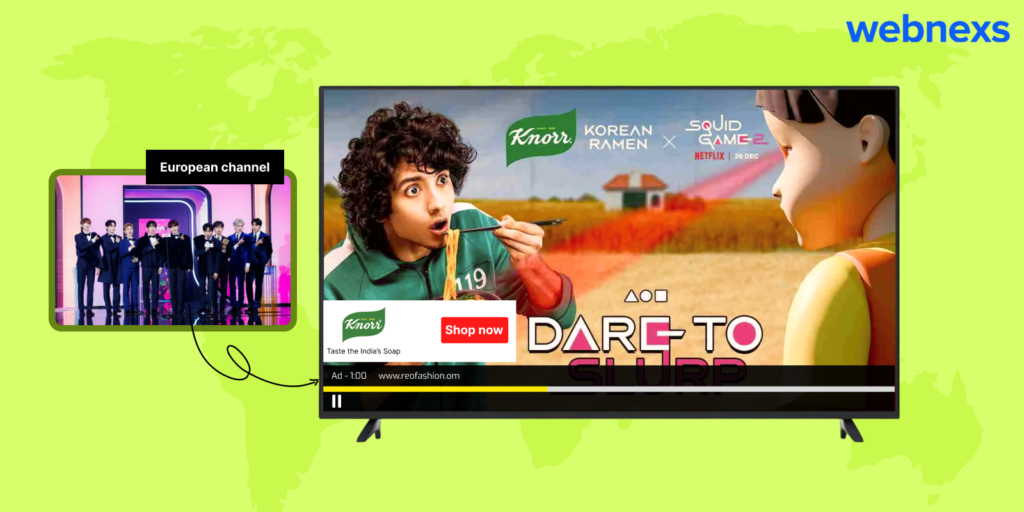
- Targeted advertising in pre-roll and mid-roll formats keeps the service free
- Multi-language support across numerous regions
Limitations to know
- Channel lineup varies by region—some areas have a much smaller selection
- No DVR or cloud recording functionality for live channels
- Ad load can be heavier than subscription services
- Interface and feature set differ across device types (TV vs. mobile vs. Family Hub)
Pros of Samsung TV Plus
Instant Access Without an Account
You can start watching immediately after installing the Samsung TV Plus app or simply turning on a compatible Samsung device. No sign-up, email verification, or payment details are required—just open the app and browse.
Broad Live TV Channel Lineup
The service spans news, sports, entertainment, movies, lifestyle, and kids’ programming, with channels curated for different age groups and interests. You’ll find both mainstream networks and niche channels you might not encounter on traditional cable.
Samsung TV Plus is part of the rapidly growing OTT ecosystem, where businesses are exploring different streaming models and technologies. If you’re planning to build your own streaming service, check out our OTT platform development guide to understand the complete development process.
High-Definition Streaming on Supported Devices
On compatible Samsung Smart TVs and Galaxy devices, streams deliver sharp HD visuals with minimal buffering, provided your internet connection is stable. For the best experience, use a wired Ethernet connection or a strong 5 GHz Wi-Fi signal.
On-Demand Library with Regular Updates
Beyond live channels, Samsung TV Plus offers a rotating selection of on-demand movies and shows. The catalog refreshes periodically, so checking back weekly often reveals new titles across genres.
Multi-Device Compatibility
Watch on Samsung Smart TVs (2016 and newer), Galaxy smartphones and tablets, or any desktop browser via the Samsung TV Plus website. Your viewing progress does not sync across devices, so you’ll need to resume manually if you switch screens.
Straightforward, User-Friendly Interface
The guide-style layout mimics traditional cable: a vertical channel list on the left, program info on the right, and a preview window up top. Categories and a search bar help you jump to news, sports, or movies quickly—no learning curve required.
Cons of Samsung TV Plus
Channel Selection Is Narrower Than Paid Services
You won’t find premium cable networks, live local broadcast affiliates in most markets, or the deep on-demand libraries that subscription platforms offer. Think of it as a supplement to—not a replacement for—cable or a full streaming bundle.
Ad-Supported With Frequent Interruptions
Commercial breaks appear at regular intervals, similar to broadcast TV. There is no ad-free tier. If you’re sensitive to interruptions, plan viewing sessions around natural break points or use the on-demand section where ad loads can be lighter.
Locked to the Samsung Ecosystem
The app is unavailable on Roku, Fire TV, Apple TV, game consoles, or non-Samsung smart TVs. If your household uses mixed hardware, you’ll need a Samsung device in each room where you want to watch.
Channel Availability Varies by Region
Licensing restrictions mean the lineup changes by country. Some regions receive a fraction of the U.S. catalog. When traveling, you’ll see the local version of the service, which may not include your usual channels.
Missing Advanced Features Found on Paid Platforms
There’s no DVR, no user profiles, no 4K/HDR support, no offline downloads, and no parental controls beyond a basic PIN lock. For households that rely on those features, a paid service will still be necessary.
Samsung TV Plus Channel Highlights
News & Opinion
- CBS News
- ABC News Live
- NBC News NOW
- LiveNOW from FOX
- Scripps News
- Fox Weather
- WeatherNation
- BBC News
- Sky News
- CBC News International
- Bloomberg TV+ UHD
- Bloomberg Originals
How to Set Up Samsung TV Plus on Your Samsung Devices
The Samsung TV Plus App is available on Samsung Galaxy devices that run on Android 8.0 (Oreo) or later versions. If the app is pre-installed, you can start using it immediately. Otherwise, follow these steps to get started:
- Step 1: Search for Samsung TV Plus in the Google Play Store on your Samsung Galaxy device.
- Step 2: Install the Samsung TV Plus app.
- Step 3: Open the Samsung TV Plus app once it is installed.
- Step 4: Browse through the available content to find what you want and start streaming.
Samsung Laptops and Desktops
You can access Samsung TV Plus on your Samsung laptops or desktops either through an app or a web browser. Here’s how to do it:
- Step 1: In your laptop or desktop browser, visit the Samsung TV Plus website or download the app from the official site if supported by your operating system.
- Step 2: You can choose to sign up as a new user or skip this process to directly access the library of channels and on-demand content.
- Step 3: Browse through the available content to find what you want and start streaming.
Samsung’s Smart Hub (For Smart TVs and Devices)
This applies to Samsung Smart TVs with an integrated Smart Hub. In this case, the TV Plus is directly integrated into the platform, making it easy to access. Here’s how to do it:
- Step 1: Navigate to the Samsung TV Plus app in the Smart Hub interface by pressing the “Home” button on your TV remote.
- Step 2: Browse through the available content to find what you want and start streaming.
Samsung Frame TV
The steps to access Samsung TV Plus on a Samsung Frame TV are the same as for other Samsung Smart TVs. The Smart Hub interface is optimized for the Frame TV’s high-definition display, ensuring a smooth and visually pleasing experience.
Content Acquisition
- Partnerships with Content Providers: Content is sourced by partnering with a variety of content providers, including TV networks, studios, and digital publishers.
- Licensing Agreements: Samsung streams content after obtaining the necessary permissions from content providers.
Content Management
- Content Ingestion: Content is collected from various sources, such as TV networks, studios, and digital publishers.
- Content Encoding: The incoming content is encoded into different formats to ensure it is compatible with a wide range of devices and internet connections.
User Interface and Experience
- Smart TV Integration: Samsung TV Plus is smoothly integrated into Samsung smart TVs, making it easy for users to access the service.
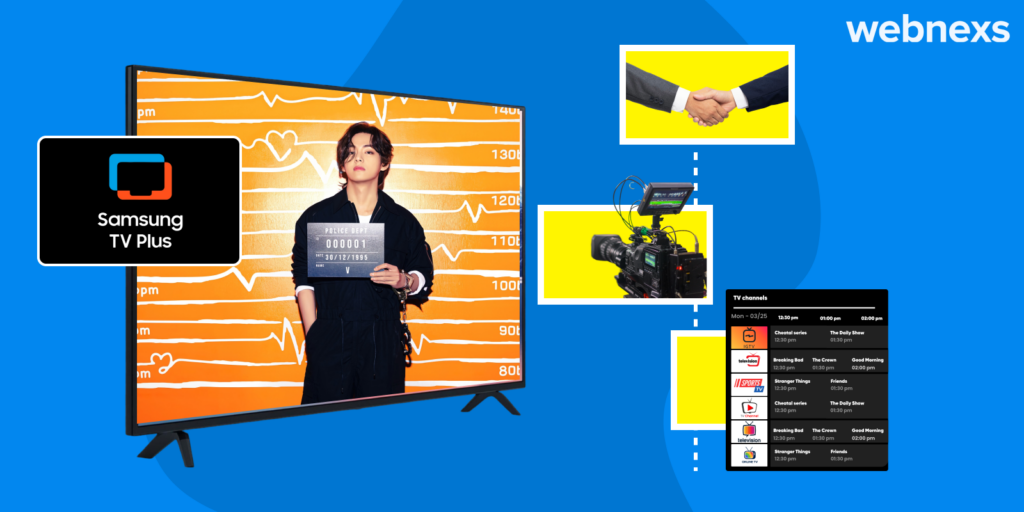
- Channel Guide: An electronic program guide (EPG) is provided, listing all available channels and programming to help users find what they want to watch.
Content Delivery
- Storage: A cloud-based infrastructure is used to store and deliver content efficiently.
- Content Delivery Networks (CDNs): Content is delivered via CDNs across different regions to ensure a smooth and uninterrupted streaming experience.
Samsung TV Plus Viewership Trends
Samsung TV Plus has expanded steadily since its launch, with adoption accelerating as more viewers shift toward free ad-supported streaming. The service grew rapidly in its early years across Asia Pacific and the Americas, while European uptake followed a more gradual curve. Recent periods show consistent, sustainable growth across all major regions as the platform adds premium channels and improves discovery features. This pattern reflects the broader industry move toward FAST services as a complement to subscription streaming.
How To Stream On Samsung TV: Access Samsung TV Plus From Various Devices
Samsung Smart TVs (2016 models and later)
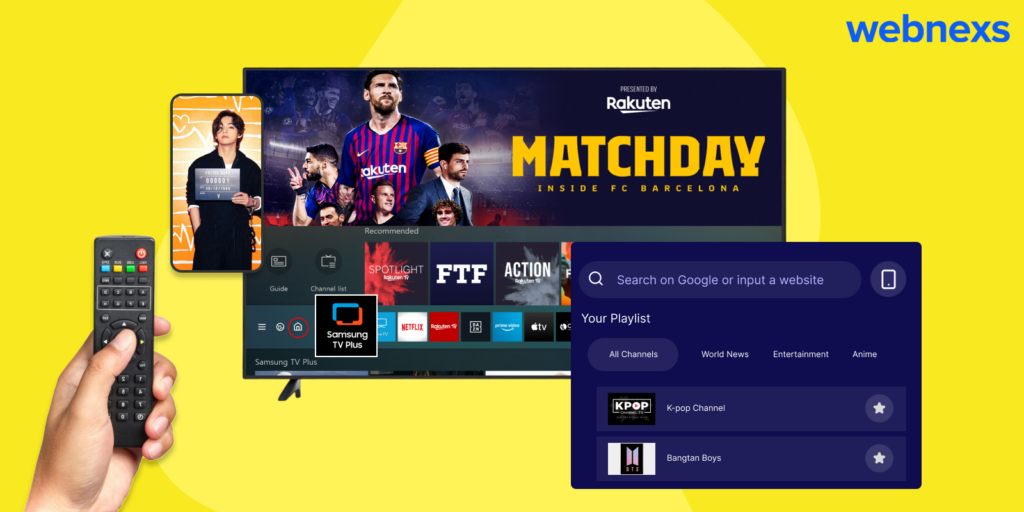
Most Samsung Smart TVs from 2016 onward ship with Samsung TV Plus already installed. You’ll find it in the app launcher or on the home screen—no download required. If you don’t see it, open the Samsung Smart TV app store, search for “Samsung TV Plus,” and install it like any other app.
Here’s how to launch it:
- Press the Home button on your remote
- Navigate to the Samsung TV Plus icon (usually in the top row or under “Apps”)
- Select it to open the channel guide
- Browse categories or use the guide to flip through live channels
Samsung Galaxy Phones and Tablets
The Samsung TV Plus app comes preloaded on most Galaxy devices running One UI 3.0 or later. Open your app drawer and look for the Samsung TV Plus icon. If it’s not there, download it from the Galaxy Store or Google Play Store. The mobile app mirrors the TV experience with a vertical channel guide optimized for touch navigation.
Web Browser (Any Device)
Visit samsung.com/tv-plus from any modern browser, Chrome, Safari, Edge, or Firefox. No sign-in required. The web player works on Windows, Mac, Linux, Chromebooks, and even non-Samsung smart TVs with a browser. Bookmark the page for quick access.
Non-Samsung Smart TVs and Streaming Devices
Samsung TV Plus is not natively available on Roku, Fire TV, Apple TV, or Android TV devices. To watch on these platforms, use your TV’s built-in browser to visit the Samsung TV Plus website, or cast from a Samsung phone using Smart View or screen mirroring. Some users also connect a laptop via HDMI for a more stable experience.
Quick Tips for a Better Experience
- Add favorites: Select the star icon on any channel to pin it to your Favorites row for faster access.
- Use the guide: Press up/down on your remote to scroll channels; press left/right to see upcoming programs.
- Check your connection: Samsung TV Plus streams at up to 1080p. A stable 10+ Mbps connection ensures smooth playback.
- No DVR: This is live linear TV, programs can’t be paused, rewound, or recorded.
Wrapping Up
Samsung TV Plus has established itself as a leading FAST platform that serves a wide range of viewing interests. With Samsung TV’s free channels, users can access entertainment without subscription fees or extra hardware. The platform’s integration directly into Samsung smart TVs creates a frictionless experience, just turn on the TV and start watching.
Content variety and device availability remain the main limitations. The channel lineup leans heavily toward news, reality, and niche genres, so viewers seeking premium scripted series or live sports may find gaps. The service is also tied to Samsung hardware; while a web version exists, the full experience stays within the Samsung ecosystem. For cord-cutters who already own a compatible Samsung TV, it’s a zero-cost supplement worth exploring alongside other free services like Pluto TV, Tubi, or The Roku Channel.
Quick Decision Checklist
- You own a 2016 or newer Samsung smart TV
- You want live-linear channels without a monthly bill
- You’re comfortable with ad-supported viewing
- You don’t need premium cable originals or major live sports
If most of those apply, Samsung TV Plus adds immediate value at no cost. For broader device support or deeper on-demand libraries, pair it with one of the platform-agnostic FAST services mentioned above.
We tested Samsung TV Plus directly on a Samsung Smart TV and the web app at samsungtvplus.com to confirm channel access, setup steps, and device compatibility for this 2026 update.
Frequently Asked Questions
Is Samsung TV Plus really free?
Yes. It is free because ads pay for it, similar to services like Pluto TV or Tubi.
Do I need a Samsung account to use Samsung TV Plus?
No. You do not need a Samsung account to start watching on supported devices.
Which devices support Samsung TV Plus?
Samsung TV Plus works on Samsung Smart TVs (2016 and newer,Smart Monitors, Galaxy phones and tablets, and Family Hub refrigerators. Samsung has also rolled it out on some TCL TVs.
Can I use Samsung TV Plus on non-Samsung devices?
Mostly not as a native app. Samsung has added it to some TCL TVs, and the website at samsungtvplus.com works in any modern browser, so you can watch on a laptop or a TV browser.
How many channels does Samsung TV Plus offer?
Hundreds of live channels across news, sports, movies, and entertainment. The exact number varies by country.
Is there a way to skip or block ads on Samsung TV Plus?
No. The service is free because of ads, and there is no ad-free tier. Ads play in regular breaks, and on-demand titles can have lighter ad loads.
How does Samsung TV Plus make money?
Through targeted advertising in pre-roll and mid-roll formats, which keeps the service free for viewers.
Can I record or pause live channels on Samsung TV Plus?
No. There is no DVR or time-shifting. Live channels work like traditional broadcast TV.
Can I customize the Samsung TV Plus channel lineup?
No. Samsung curates the lineup, and it varies by region.
Is Samsung TV Plus available on all Samsung devices?
It is available on Samsung Smart TVs, Smart Monitors, Galaxy devices, and Family Hub refrigerators. It may not be available on older or lower-end Samsung devices.
Sources
- Samsung Official Website
- Wikipedia – Samsung TV Plus
- Get a quote from our team — book a call to walk through scope and pricing.












3 Responses
How can we integrate Samsung TV Plus into our service offerings to capitalize on the growing ad-supported streaming market and drive business growth?
The multi-device access feature is amazing. Whether on my Samsung Smart TV or Galaxy tablet, I can easily stream content without any hassle.
Samsung TV Plus is truly changing the streaming landscape! With over 3000 channels and no subscription fees, it’s perfect for anyone looking to cut the cord.